A list of Funding Organisations can only be accessed by users logged in to an admin account. Active Funding Organisations are available for selection when creating and managing vacancies, allowing the funding organisation's logo to be displayed to applicants viewing the job on GetGot.
Fund Organisations can only be created and maintained by Hallmark Solutions. If a new Funding Organisation logo needs to be added, please contact the Hallmark Support Team and provide the funding organisation name, description, and logo in .png format.
Step 1: Access Fund Organisations
From the top menu bar, select Organisation, then choose Fund Organisations.
Step 2: View and Manage Fund Organisations
A list of Funding Organisations available within GetGot will be displayed.
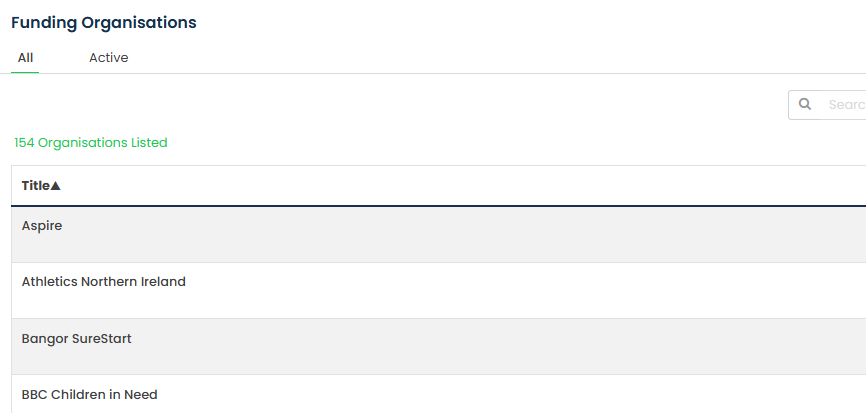
If a Funding Organisation is marked as Active, it will be available for selection when creating or managing vacancies.
To change the active status, select the three dots under the Actions column beside the relevant Funding Organisation and select Edit.
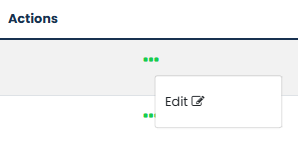
Tick or untick the Active? checkbox as required, then select Save.

Step 3: Use Fund Organisations in Vacancies
Once activated, the Funding Organisation will be available for selection when creating or managing vacancies.
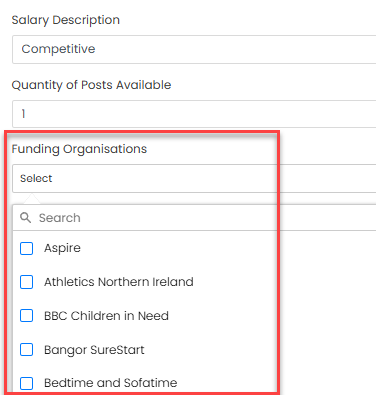
When selected, the Funding Organisation's logo will be displayed on the vacancy advertisement for applicants to view.
Was this article helpful?
That’s Great!
Thank you for your feedback
Sorry! We couldn't be helpful
Thank you for your feedback
Feedback sent
We appreciate your effort and will try to fix the article