Should an applicant request that their application be deleted, an assigned standard user can delete the application on the applicant's behalf.
Step 1: Access the Application
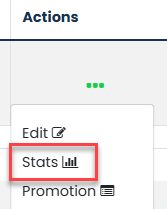
Locate the relevant job in the Jobs List.
Select the three dots under the Actions column and click Stats.
Step 2: Locate the Application
Select either Complete Applications or Incomplete Applications, depending on the status of the application.
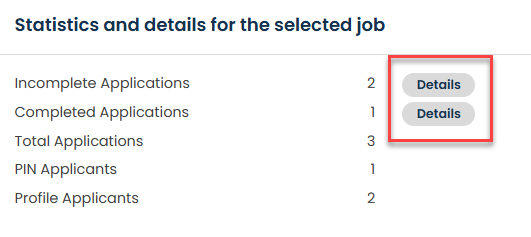
Locate the relevant application within the list.
Step 3: Delete the Application
Select the three dots under the Actions column beside the application and click Delete Application.

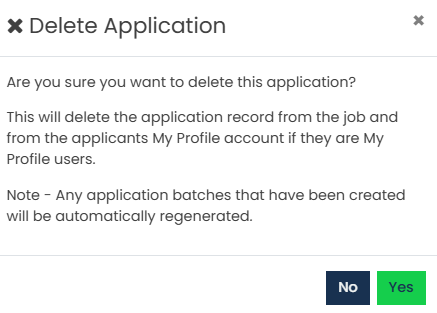
Step 4: Confirm Deletion
Click Yes to confirm the deletion.
Step 5: Additional Information for Hark Users
For Hark users, deleting an application in GetGot will not automatically delete the applicant's record in Hark.
The applicant record will need to be deleted manually within Hark.
Was this article helpful?
That’s Great!
Thank you for your feedback
Sorry! We couldn't be helpful
Thank you for your feedback
Feedback sent
We appreciate your effort and will try to fix the article