You can delete your GetGot account at any time through your profile settings.
Step 1: Log In to Your Account
To get started, log in to your GetGot account using the following link: https://www.getgotjobs.co.uk/login
Step 2: Access Your Profile Settings
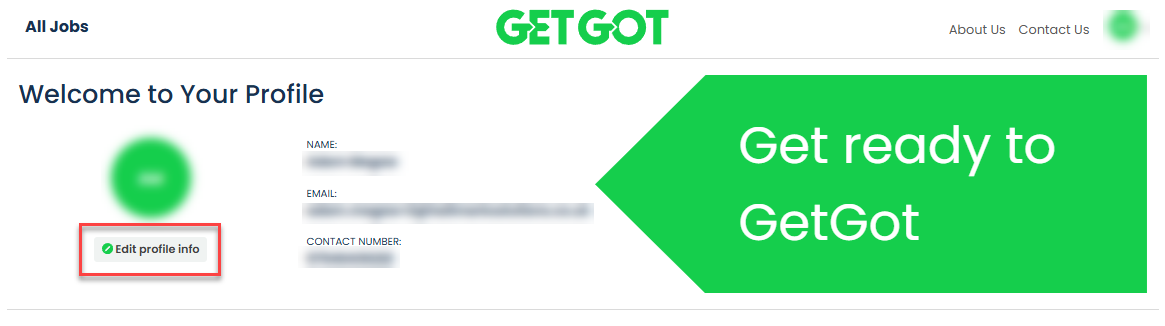
Once logged in, you will be taken to the My Profile page. Select Edit Profile Info.
Step 3: Select Delete Account
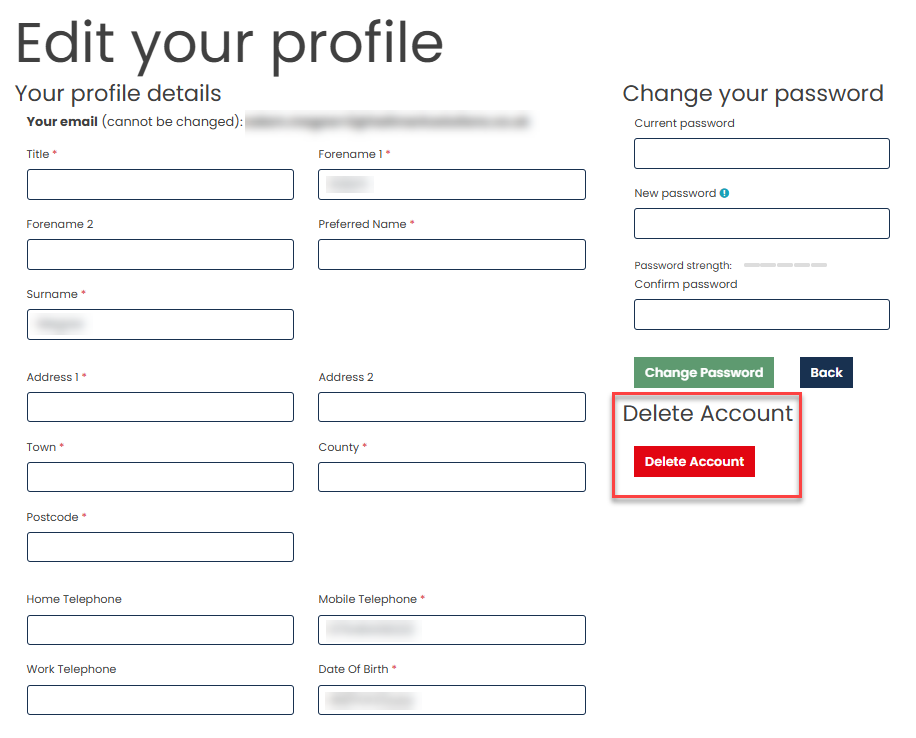
Scroll across the page and locate the red Delete Account button. Select this button to continue.
Step 4: Confirm Account Deletion
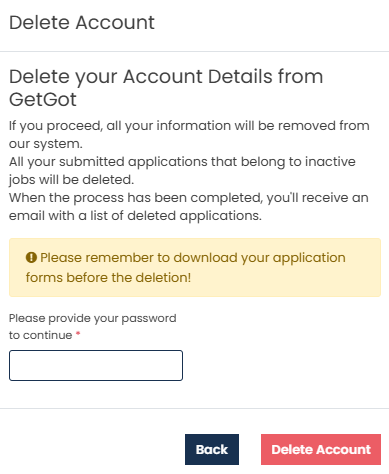
A warning message will be displayed. To permanently delete your account, enter your password and select Delete Account.
Step 5: Account Deleted
Your account will be permanently deleted and you will no longer be able to access your profile, saved information, or application history.
Was this article helpful?
That’s Great!
Thank you for your feedback
Sorry! We couldn't be helpful
Thank you for your feedback
Feedback sent
We appreciate your effort and will try to fix the article