If you have previously saved an application without submitting it, you can return and continue completing it at any time before the vacancy closing date.
Option 1: Resume from the Vacancy
This option is available to both Profile and PIN users.
Step 1: Find the Vacancy
Visit the Current Openings page: https://www.getgotjobs.co.uk/listings
Use the search bar or available filters to locate the vacancy you previously started an application for, then click Apply.
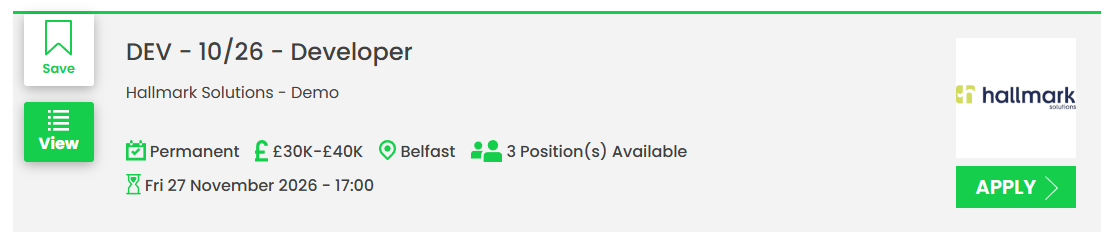
Step 2: Enter Your Email Address
Enter the email address you originally used to register for the vacancy.
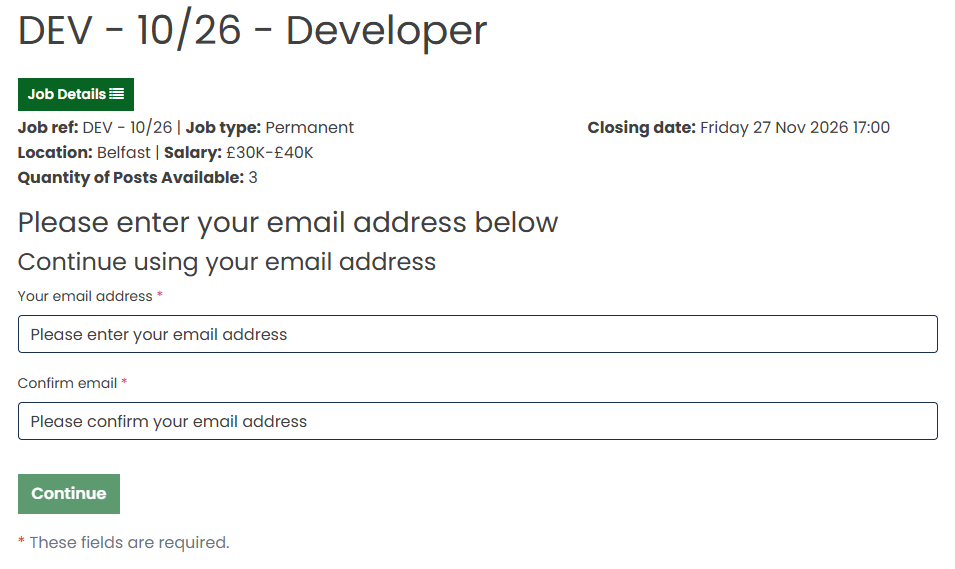
The system will recognise your registration and identify whether you applied using a Profile or PIN.
Step 3: Resume Your Application
If you registered using a Profile, enter your password when prompted.
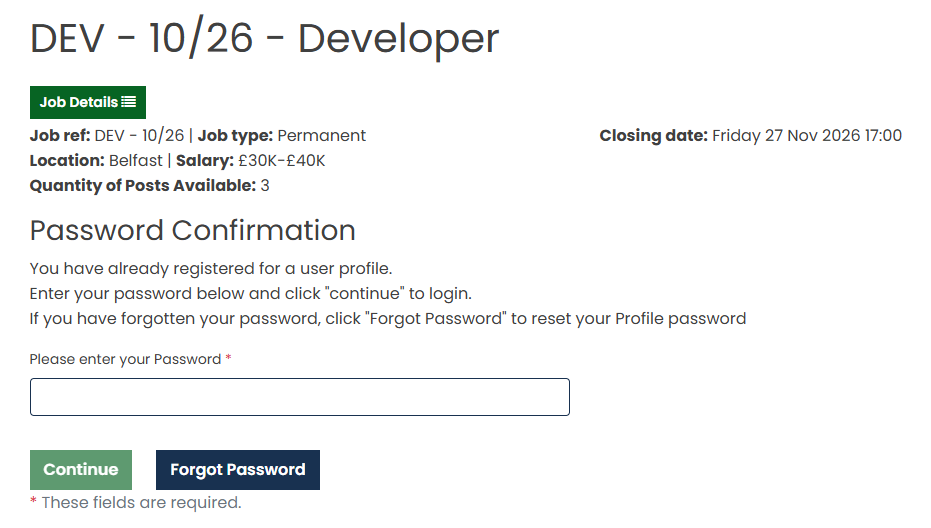
If you registered using a PIN, enter the PIN that was issued when you first registered for the vacancy.
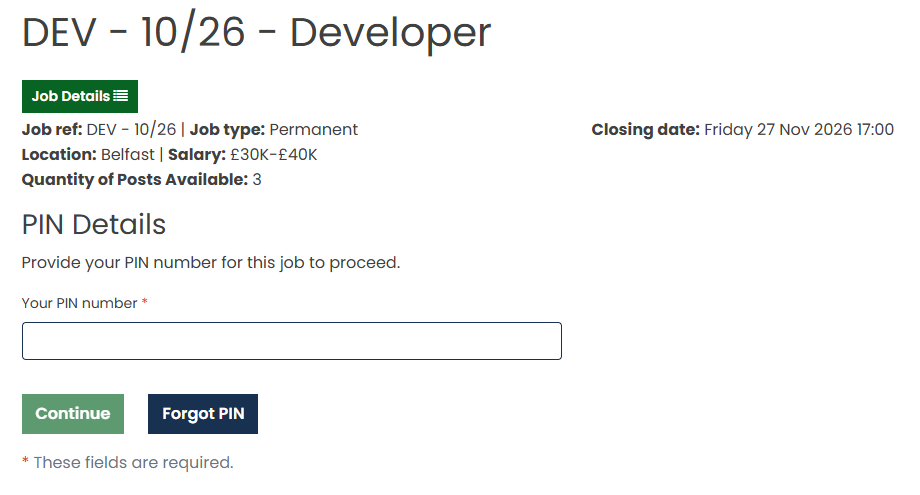
Once authenticated, you will be taken back to your saved application to continue where you left off.
Option 2: Resume from Your GetGot Profile
This option is only available to Profile users.
Step 1: Log In to Your Profile
Log in to your GetGot Profile using the following link: https://www.getgotjobs.co.uk/login
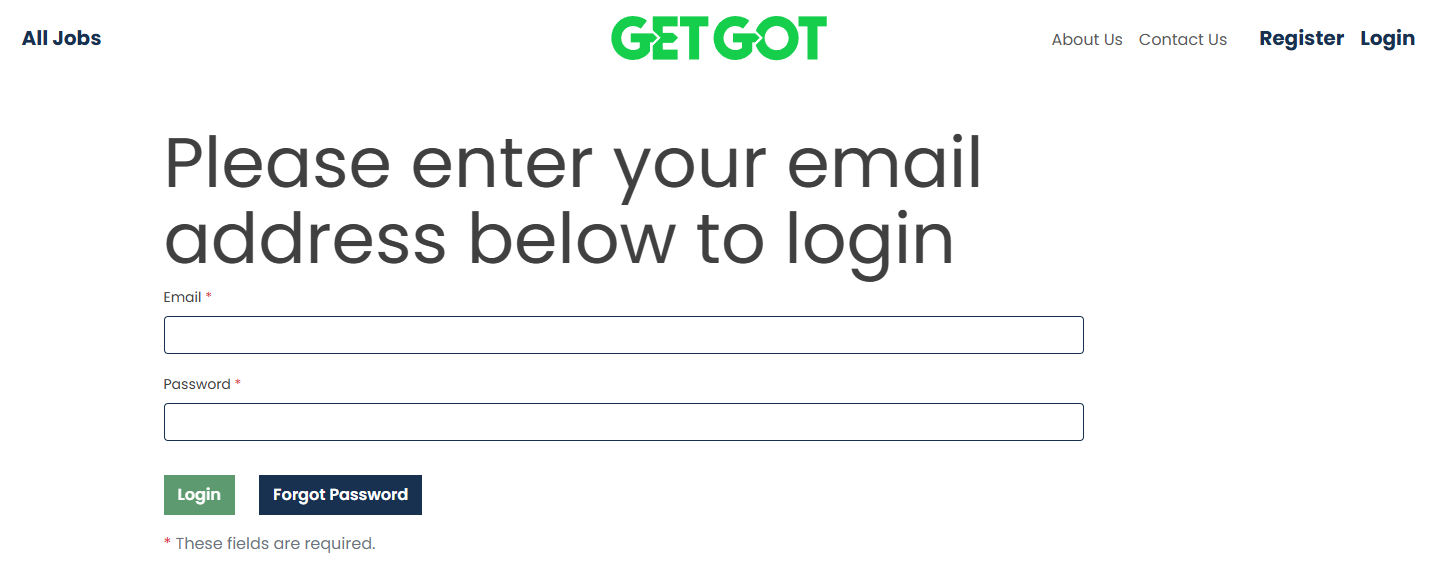
Step 2: Open Your Draft Applications
Navigate to the Your Applications section.
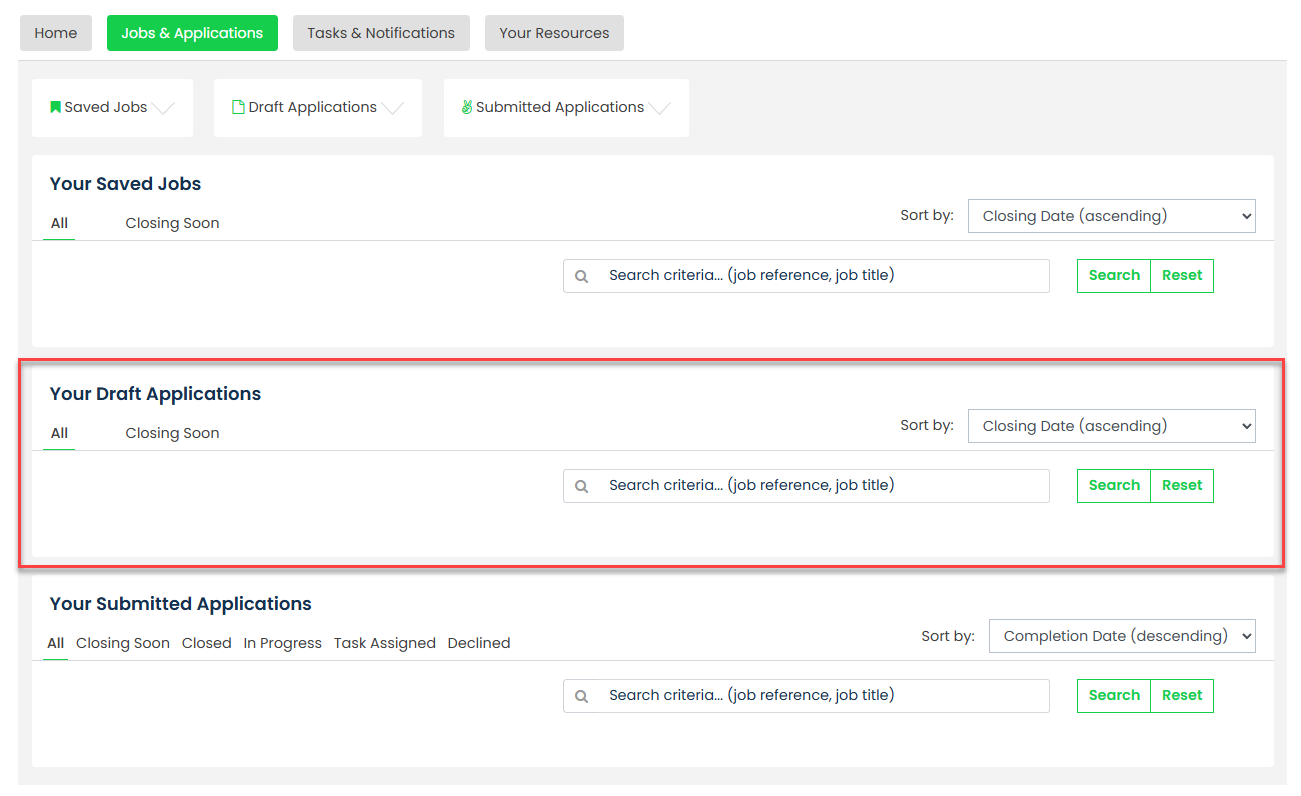
This area displays any applications that have been started but not yet submitted.
Step 3: Resume Your Application
Locate the vacancy you wish to continue and select Actions, followed by Resume.
You will be taken directly back into the application form and can continue completing your application.
Was this article helpful?
That’s Great!
Thank you for your feedback
Sorry! We couldn't be helpful
Thank you for your feedback
Feedback sent
We appreciate your effort and will try to fix the article