GetGot allows you to search and apply for vacancies advertised by a wide range of organisations.
Step 1: Find a Vacancy
Visit the Current Openings page: https://www.getgotjobs.co.uk/listings
Use the search bar to search for specific vacancies, or use the available filters to narrow your results by criteria such as organisation, category, location, or job type.
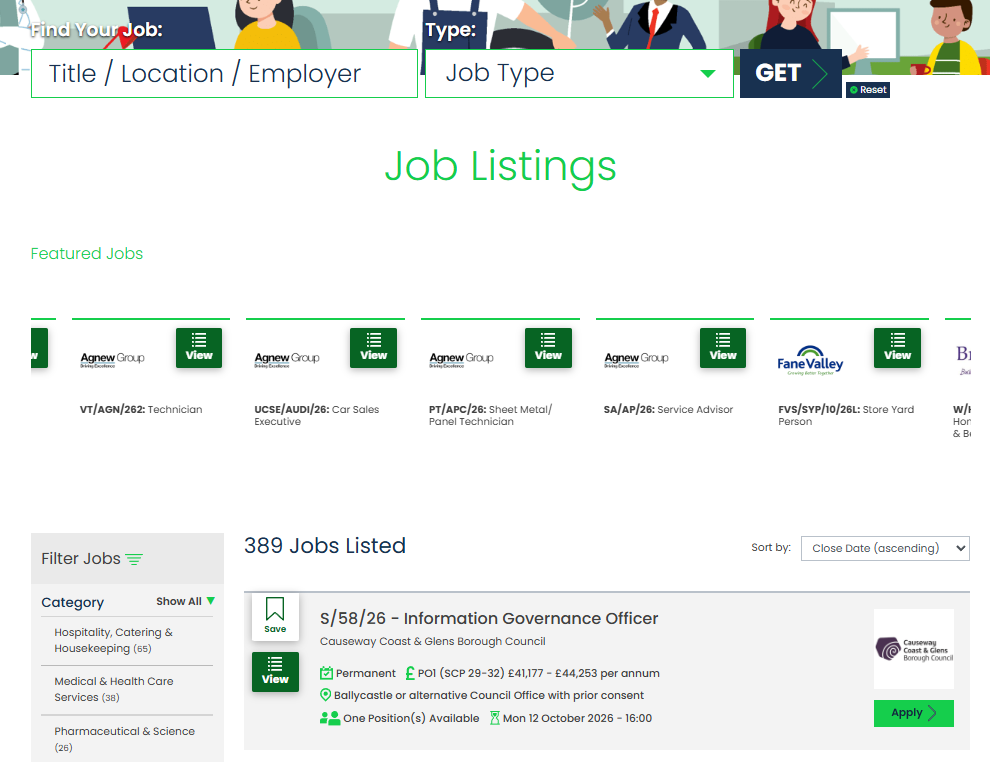
Once you have found a vacancy you are interested in, select the vacancy title to view the full job details.
Step 2: Review the Vacancy
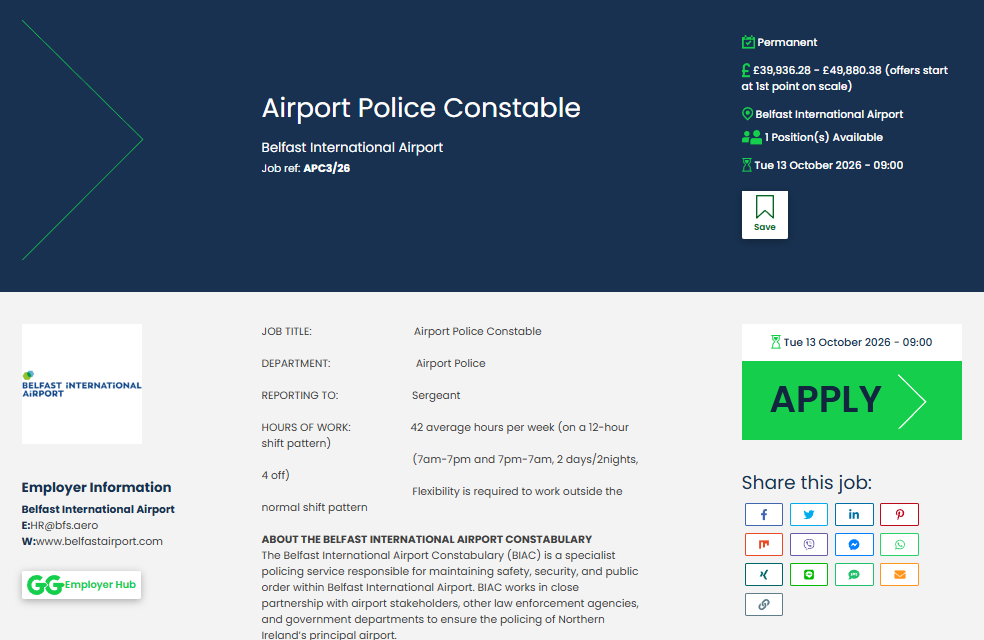
Read through the vacancy information, including the job description, essential criteria, closing date, and any supporting documentation.
If you wish to proceed, click Apply.
Step 3: Enter Your Email Address
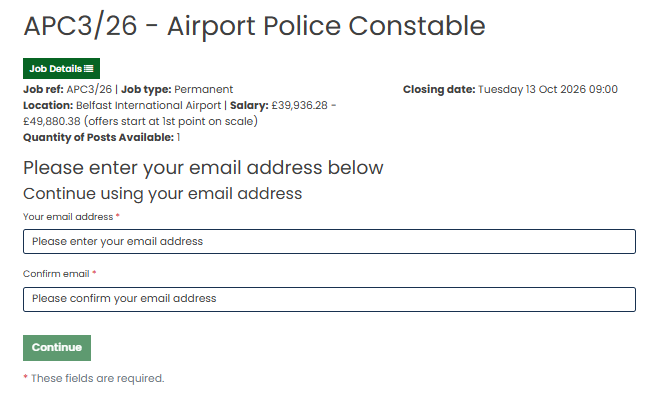
To begin your application, enter your email address when prompted.
If you already have a GetGot Profile, enter the email address associated with your account and log in when prompted.
Step 4: Accept the Data Protection Notice
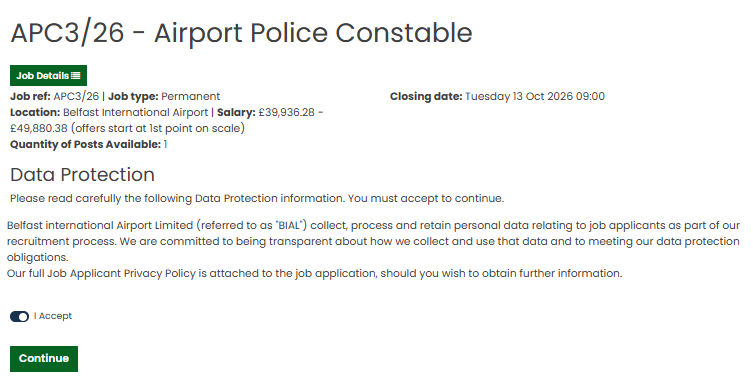
Before proceeding, you will be required to review and accept the hiring organisation's Data Protection Notice.
Please read the information provided carefully and select Accept to continue with your application.
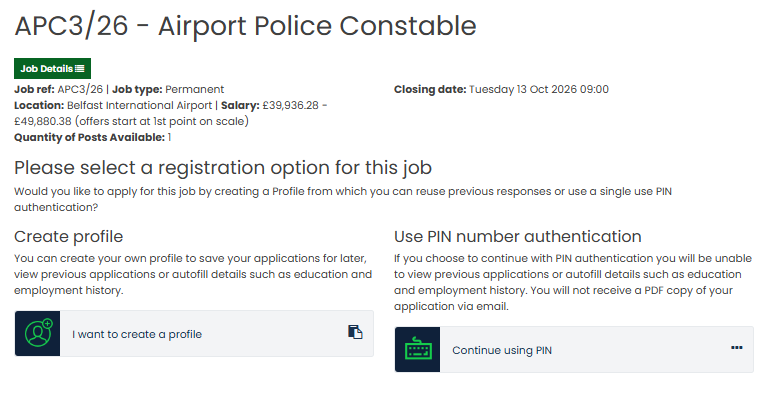
Step 5: Choose How You Would Like to Apply
If you are a new user, you will be asked to choose how you would like to apply:
- Profile - Create a GetGot Profile to save information and access additional features.
- PIN - Submit a one-off application for the vacancy without creating a GetGot Profile.
Step 6: Complete Your Application
Complete each section of the application form, providing all required information.
If you are using a GetGot Profile, some fields may be populated automatically using information stored in your account.
Where available, you may also be able to use the Autofill feature to populate sections such as:
- Education Answers
- Employment History
- Referee Details
- CV

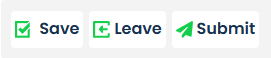
You can save a partially completed application and return to it later by selecting Save then Leave.
Step 7: Review and Submit
Before submitting your application, review all information carefully to ensure it is accurate and complete.
Once you are satisfied, click Submit to send your application to the recruiting organisation.
Was this article helpful?
That’s Great!
Thank you for your feedback
Sorry! We couldn't be helpful
Thank you for your feedback
Feedback sent
We appreciate your effort and will try to fix the article