You can create a GetGot account at any time. You do not need to be applying for a vacancy to register.
To get started, visit the GetGot Registration Page: https://www.getgotjobs.co.uk/register
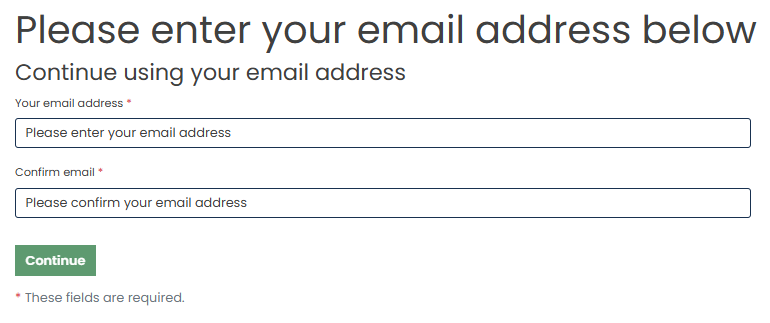
Step 1: Enter Your Email Address
Enter and confirm your email address, then select Continue.
Your email address cannot be changed once your account has been created. Please ensure you use an email address that you can access regularly. We recommend using a personal email address rather than a work email address.
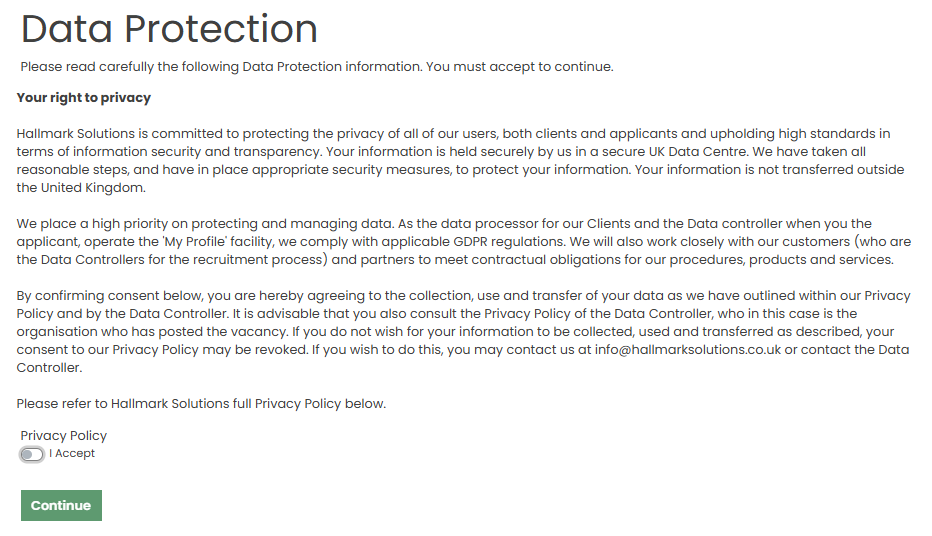
Step 2: Accept the Data Protection Notice
Read the data protection information and select Accept to proceed. Once accepted, click Continue.
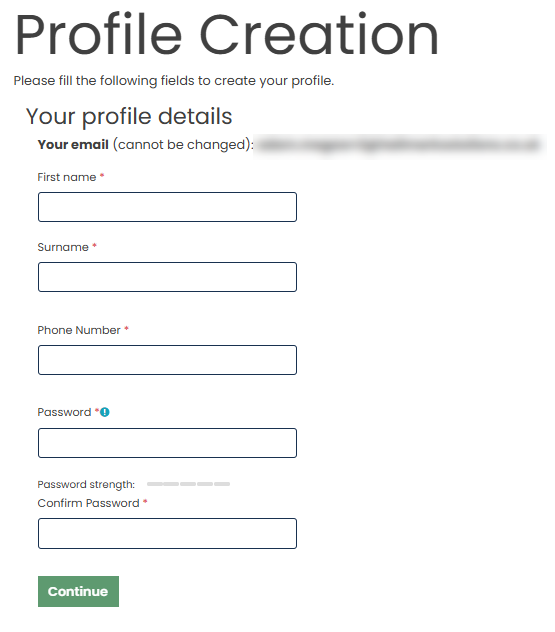
Step 3: Complete Your Account Details
Enter your: First Name, Surname, Telephone number, and Password
Your password must:
- Be between 8 and 20 characters long
- Contain at least one uppercase letter
- Contain at least one lowercase letter
- Contain at least one number
- Contain at least one special character (!@#$%^&*)
Once completed, select Continue.
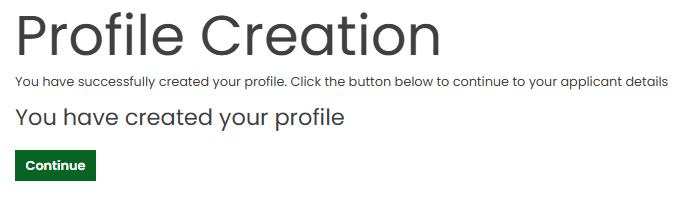
Step 4: Registration Complete
A confirmation message will appear to let you know your account has been created successfully. Select Continue to access your profile.
Step 5: Explore Your GetGot Profile
Your profile is your personal hub for managing your job search and allows you to:
- Apply for jobs quickly and easily
- Save applications and complete them later
- Manage your personal information
- Upload and update your CV
- Create personalised job alerts
- Track the progress of your applications
- Access a wide range of career opportunities
Creating a GetGot account only takes a few minutes and gives you everything you need to manage your applications and career journey in one place.
Ready to get started? Register today and never miss your next career opportunity.
Was this article helpful?
That’s Great!
Thank you for your feedback
Sorry! We couldn't be helpful
Thank you for your feedback
Feedback sent
We appreciate your effort and will try to fix the article