GetGot provides a number of ways to search for vacancies, helping you find opportunities that match your skills, experience, and preferences.
Step 1: Visit the Current Openings Page
Visit the Current Openings page: https://www.getgotjobs.co.uk/listings
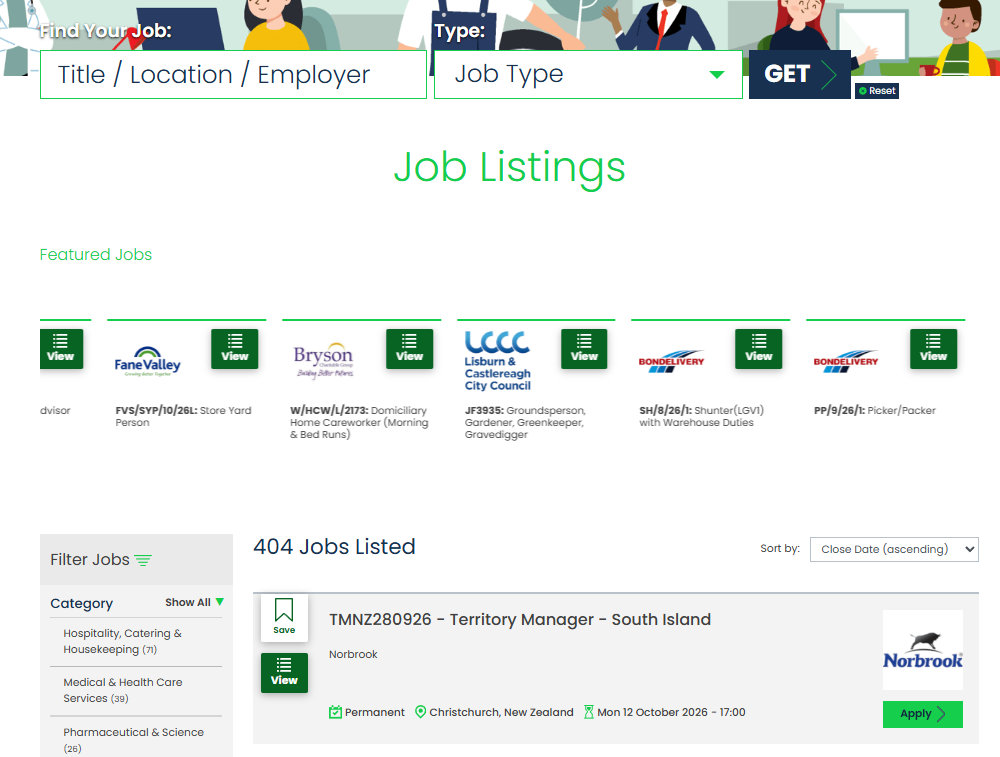
Step 2: Search for a Vacancy
Use the search fields at the top of the page to find vacancies.
You can search using:
- Keywords, such as a job title or organisation name
- Job Type, such as Permanent or Temporary

Alternatively, leave the search fields blank and click GET to view all current vacancies.
Step 3: Refine Your Search Results
The job listings page will display all vacancies that match your search criteria.
You can update your search at any time by changing the search fields and selecting GET again.
To clear your current search criteria and start over, select Reset.
Step 4: Use Filters to Refine Your Results
You can use the available filters to narrow down the list of vacancies and quickly find opportunities that are most relevant to you.
Select the filters that best match your requirements and the results will automatically update to display matching vacancies.
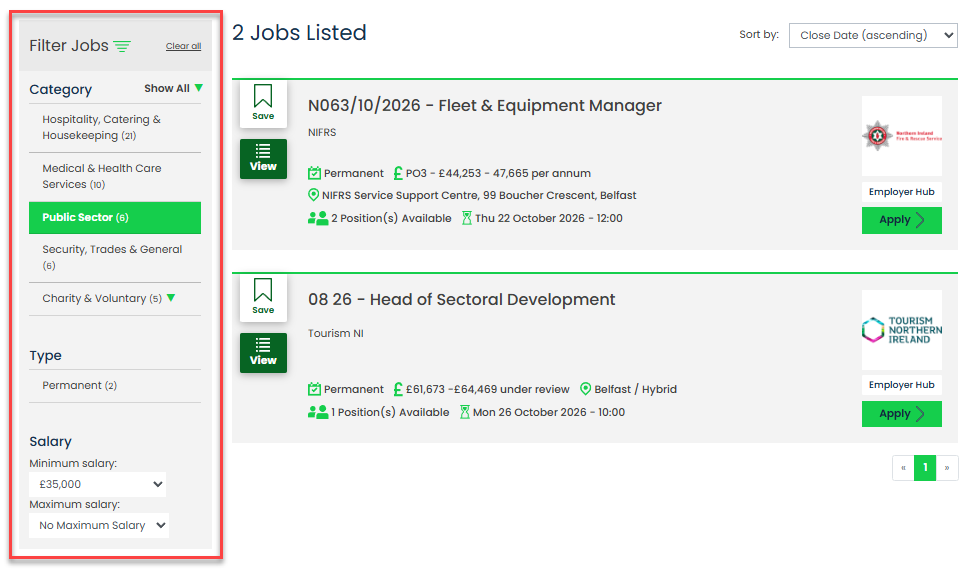
Using search criteria and filters can help you quickly find vacancies that best match your interests, experience, and career goals.
Was this article helpful?
That’s Great!
Thank you for your feedback
Sorry! We couldn't be helpful
Thank you for your feedback
Feedback sent
We appreciate your effort and will try to fix the article