The Search Applications option is only available to standard users and allows them to search for applicants across all jobs they are assigned to within the organisation. This can be used to quickly determine whether an applicant has applied for a vacancy, view the current status of their application, and access key application details without needing to navigate through individual jobs in the Jobs List.
This provides a faster alternative to searching through individual jobs within the Jobs List.
Step 1: Access Applicant Search
From the top menu bar, select Reports, then choose Search Applications.
A search window will open.
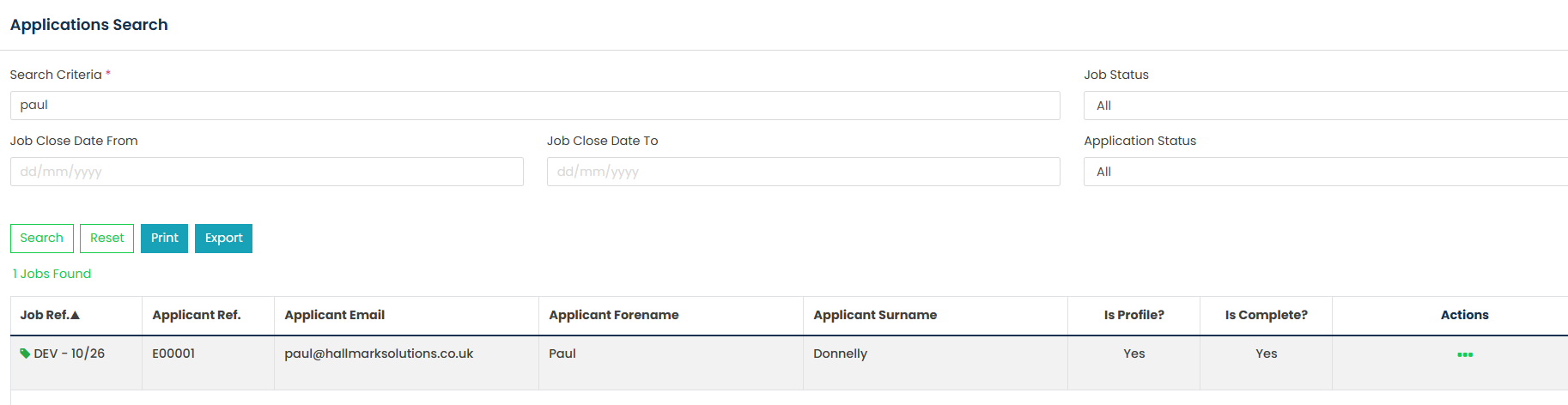
Step 2: Enter Search Criteria
Use the available filters to refine your search.

Step 3: View Results
Click Search.
A results grid will be displayed containing any applications that match the search criteria.
Step 4: Export or Print Results
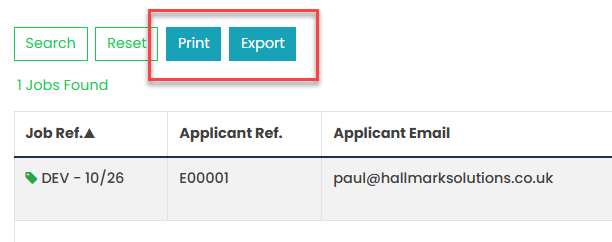
Once the results have been returned, they can be exported or printed as required.
Click Print to generate a PDF version of the search results.
Click Export to download the search results as a CSV file.
Was this article helpful?
That’s Great!
Thank you for your feedback
Sorry! We couldn't be helpful
Thank you for your feedback
Feedback sent
We appreciate your effort and will try to fix the article