Application Form PDFs and Shortlisting PDFs can be generated from the Stats area of a job. Assigned users and managers can view and download individual application form PDFs for applicants associated with their jobs, while batch PDF generation and CSV exports are only available to standard users.
Application Form PDFs can be generated at any stage while the job is live, whereas Shortlisting PDFs can only be generated once the job has closed.
View Individual Applications
Assigned users and managers can view and download completed application form PDFs for applicants associated with their jobs.
Step 1: Access Job Stats
Locate the relevant job in the Jobs List.
Select the three dots under the Actions column and click Stats.
The Stats page will display information including the number of completed and incomplete applications, along with other recruitment statistics for the job.
Step 2: Find Applicant
Select Completed Applications.
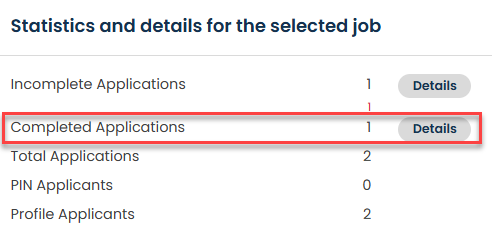
A list of applications will be displayed.
Step 3: Download an Application Form
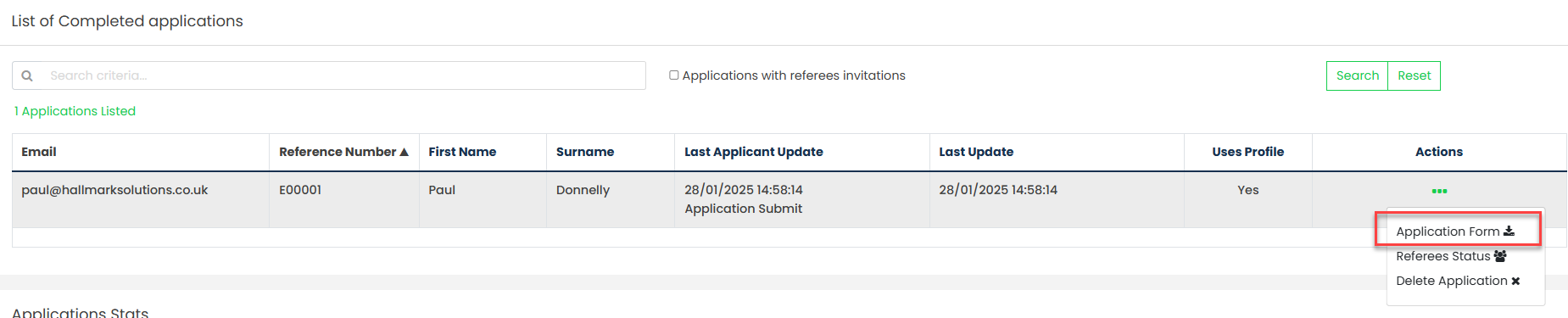
Locate the relevant applicant within the list.
To view a completed application form, select Application Form under the Actions column to generate and view a PDF version of the application.
Generate Batch PDFs
Batch PDF generation is only available to standard users.
Application forms can be generated in batches, allowing all application forms to be downloaded within a single PDF document.
Generate a Partial Batch
While a job is still open, click Generate Partial Batch.
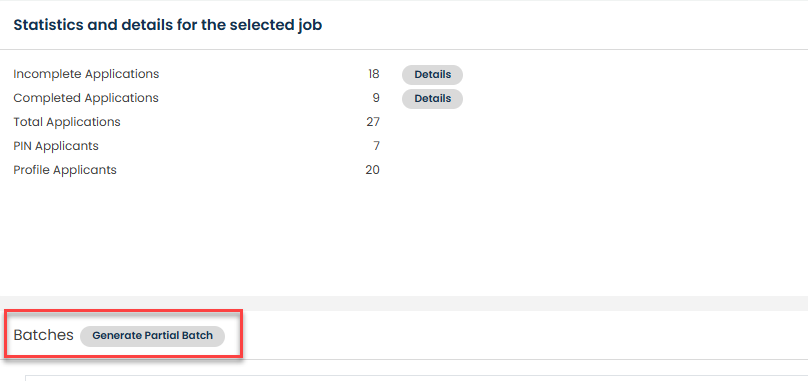
This will generate a PDF containing the application forms of all applicants who have successfully completed their application at that point in time.
Additional partial batches can be generated throughout the recruitment process as new applications are received.
Generate a Complete Batch
Once the job has closed, click Generate Complete Batch.
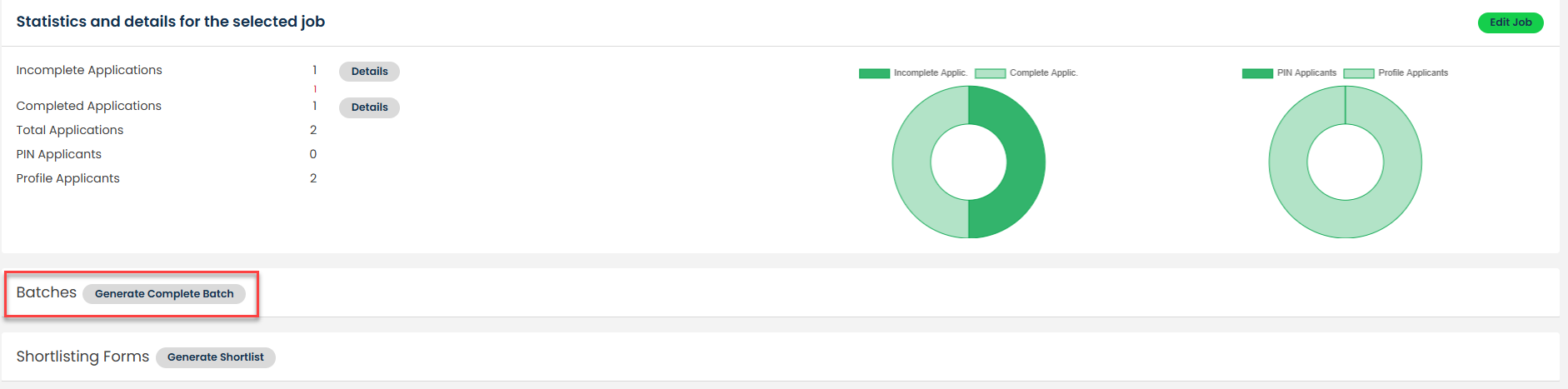
This will generate a PDF containing the application forms of all completed applicants for the recruitment exercise.
Generate a Shortlisting Batch
Once the job has closed, a Shortlisting PDF can also be generated.
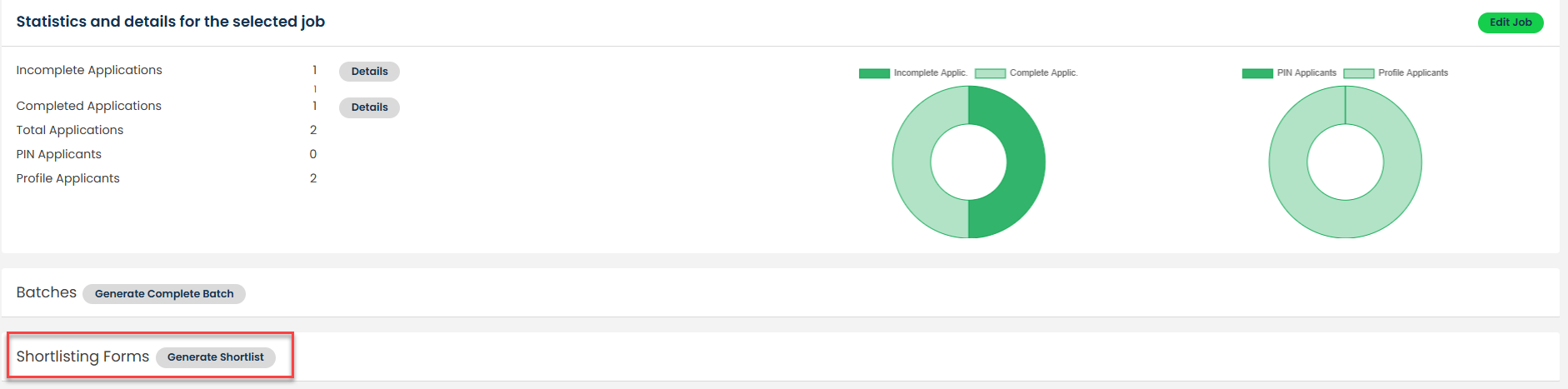
This provides a PDF version of applications in a format suitable for shortlisting and review purposes.
Was this article helpful?
That’s Great!
Thank you for your feedback
Sorry! We couldn't be helpful
Thank you for your feedback
Feedback sent
We appreciate your effort and will try to fix the article