Application Stats are available to assigned standard users and managers and provide valuable insight into applicant activity for a job. Available statistics include average time spent on each application tab, time taken to complete individual applications, the number of times applications have been resumed, and the sources from which the vacancy was viewed.
Step 1: Access Job Stats
Locate the required job in the Jobs list.
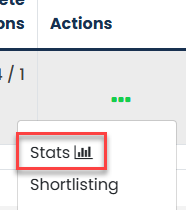
Select the three dots under the Actions column and choose Stats.
Step 2: View Stats
Scroll to the bottom of the statistics page.
Select the appropriate statistic you wish to view.
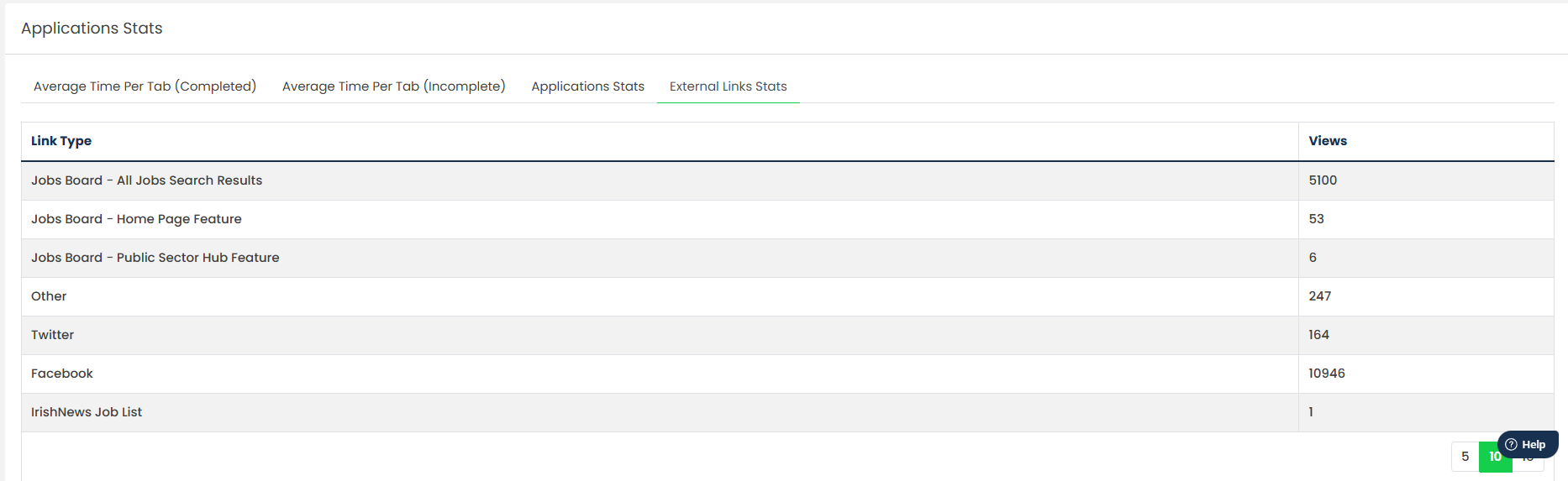
The following statistics are available:
- Average Time Per Tab - Displays the average amount of time applicants spent completing each section of the application form.
- Application Completion Times - Displays the time taken for individual applicants to complete their application.
- Application Resume Statistics - Displays the number of times applicants saved and resumed their application before submitting.
- Application Source Statistics - Displays where applicants viewed or accessed the vacancy from.
Was this article helpful?
That’s Great!
Thank you for your feedback
Sorry! We couldn't be helpful
Thank you for your feedback
Feedback sent
We appreciate your effort and will try to fix the article