You can only view previously submitted application forms if you applied using a GetGot Profile. Applications submitted using the PIN method cannot be accessed after submission.
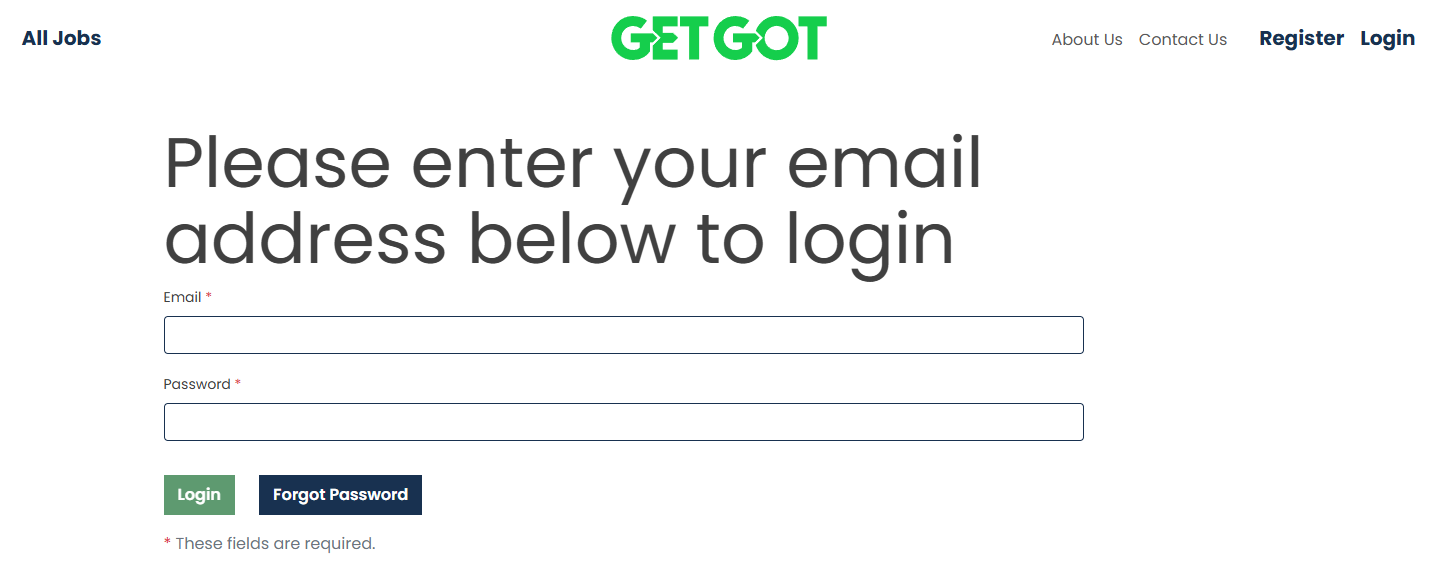
Step 1: Log In to Your Profile
Log in to your GetGot Profile using the following link: https://www.getgotjobs.co.uk/login
Step 2: Open Your Submitted Applications
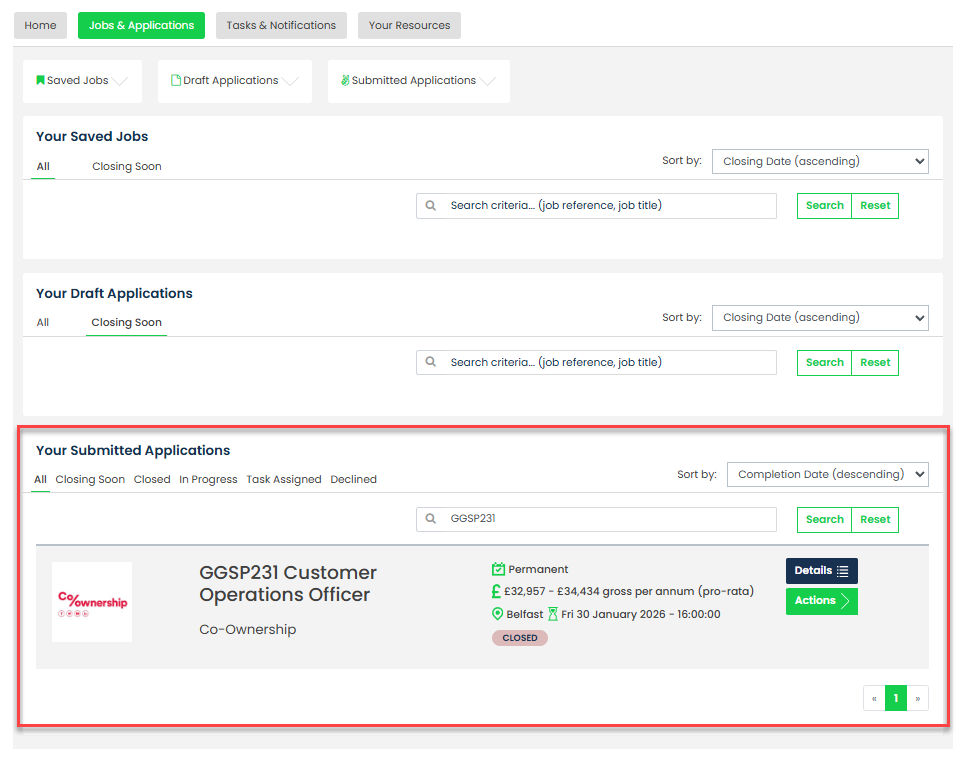
Once logged in, navigate to Your Submitted Applications within the Jobs & Applications section.
This area displays all applications you have submitted using your GetGot Profile.
Step 3: View Your Submitted Forms
Locate the application you wish to view and select Actions.
You can then choose:
- Application Form - View the submitted application form.
- Monitoring Form - View the submitted monitoring form.
Both forms will open as PDF documents for you to view or download.

Was this article helpful?
That’s Great!
Thank you for your feedback
Sorry! We couldn't be helpful
Thank you for your feedback
Feedback sent
We appreciate your effort and will try to fix the article