Competency Categories can only be managed when logged in to an admin account. Categories are used to group competency questions and can be selected when creating or editing questions within the competency question bank.
Step 1: Access Competency Categories
From the top menu bar, select Organisation, then choose Competency Categories.
A list of existing competency categories will be displayed.
Step 2: Create a New Competency Category
Select Create Competency Category.
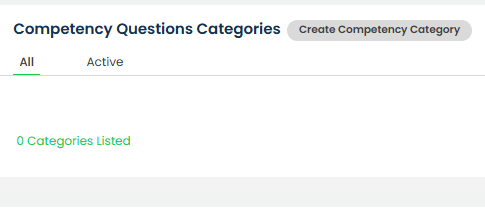
This will open the category creation screen.
Step 3: Enter the Category Details
Enter the category name in the Category Name field.
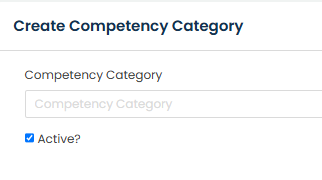
Tick the Active? checkbox if the category should be available for selection when creating or editing competency questions.
If the Active? checkbox is not selected, the category will not be available within the Competency Category drop-down list when creating competency questions.
Step 4: Save the Category
Once all required information has been completed, select Save.
The competency category will now be available for use when creating or editing competency questions, provided it is marked as active.
Step 5: Edit or Delete an Existing Competency Category
Existing competency categories can be managed by selecting the three dots under the Actions column beside the relevant category.
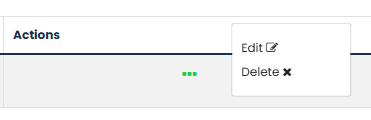
Select Edit to update the category name or active status. Editing a competency category will automatically update the category name against any existing competency questions using that category.
Select Delete to remove the category. Deleting a competency category will remove the category from any competency questions currently assigned to it. Any affected questions will need to be reviewed and reassigned to an alternative category if required.
Was this article helpful?
That’s Great!
Thank you for your feedback
Sorry! We couldn't be helpful
Thank you for your feedback
Feedback sent
We appreciate your effort and will try to fix the article