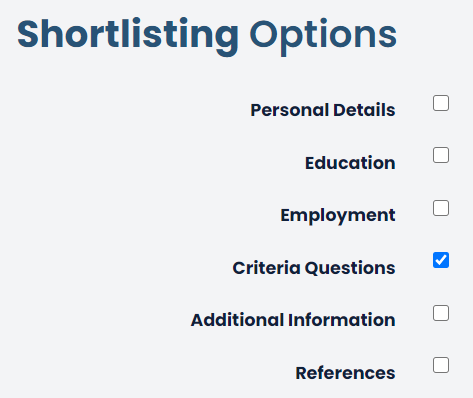
The job poster can select aspects of the application form to generate for the purposes of shortlisting. Checking the checkboxes Personal Details, Education, Employment, Criteria Questions, Additional Information, References or Monitoring (Or a multiple selection) will produce a secondary PDF for the HR team isolating these sections.
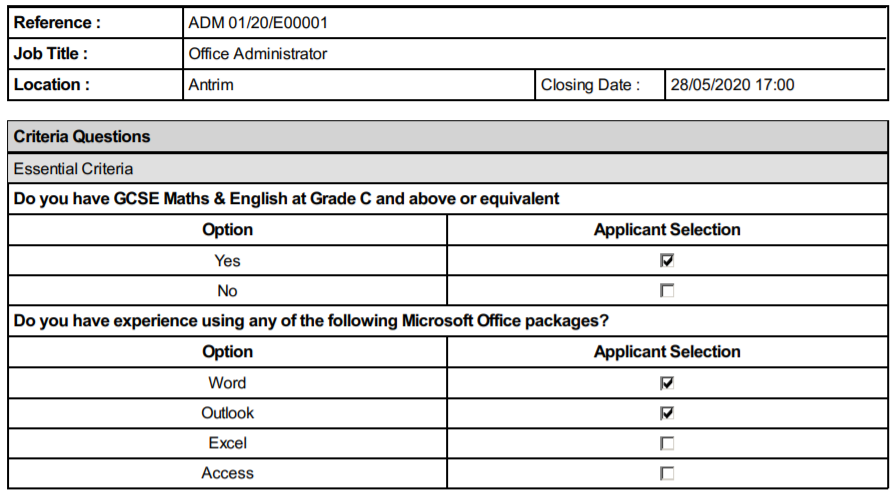
See an example shortlist PDF generation below:
Was this article helpful?
That’s Great!
Thank you for your feedback
Sorry! We couldn't be helpful
Thank you for your feedback
Feedback sent
We appreciate your effort and will try to fix the article