The details entered on the job in PAMS will automatically appear on GetGot. These can be amended on GetGot, but any changes made here will NOT update on PAMS.
Other fields must now be populated on GetGot. Fields with a red asterisk are deemed to be mandatory and must be completed prior to saving the job.
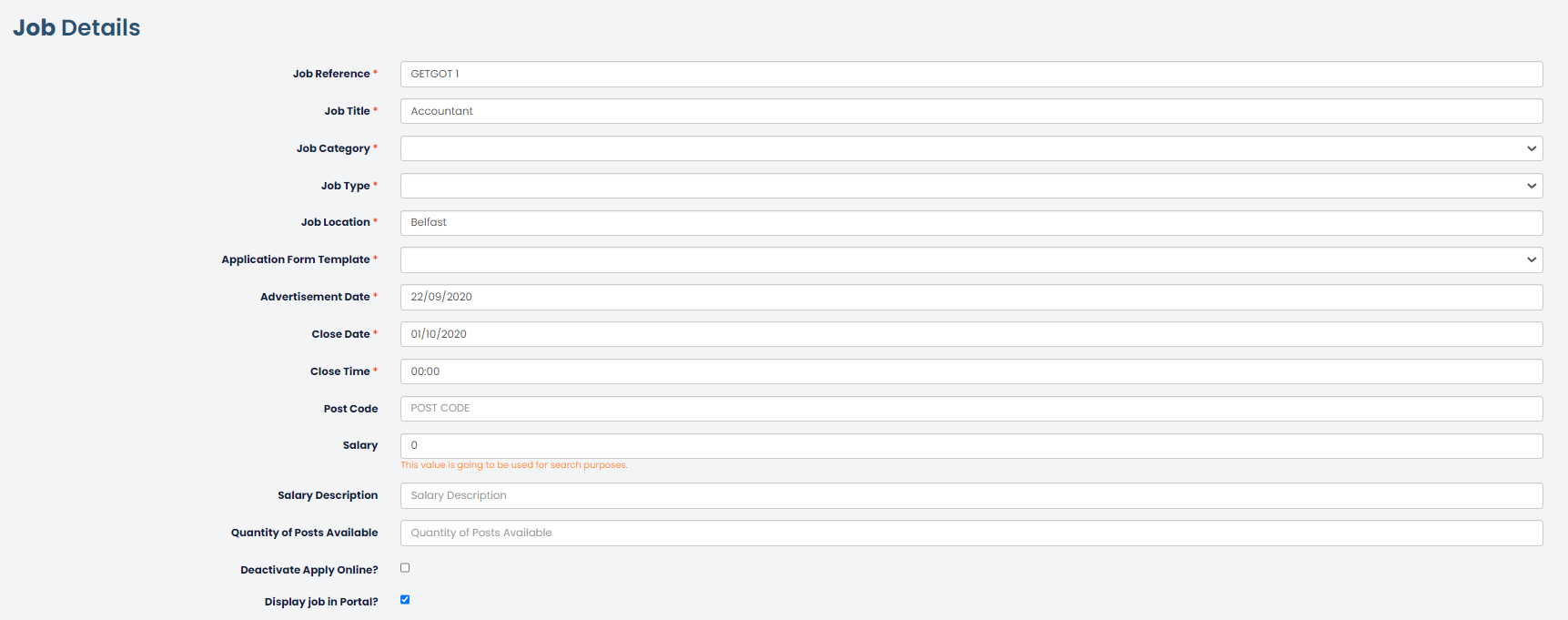
Job Category – These are created by Hallmark Solutions and an appropriate category can be assigned to the job. This will assist applicants in their job search filters. The job category list can be amended to limit to options that are relevant to your organisation.

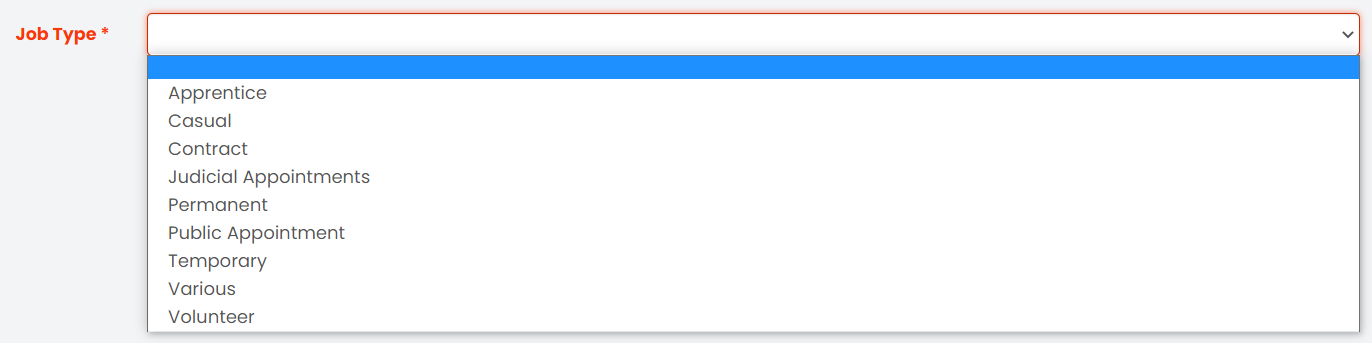
Job Type – These are created by Hallmark Solutions and an appropriate classification of Job Type must be selected by the job poster.
Application Form Template – An application form template will need to be selected from those application forms which have been created by the Admin user. This template will form the basis of the details that applicants must complete.
Advertisement Date – This is when the job will go live for applicants to view and apply. This must be in the future for users to edit the job criteria questions.
Closing Date – This must be completed. The job will close on this date.
Closing Time - This must be completed. The job will close at this time precisely and is based on our server’s atomic clock. No further applications, partially completed prior or resulting of a new session, can be submitted after this time.
Post Code – This is an optional field. This will allow applicants to search for jobs by distance (Currently in development).
Salary - This is an optional field. Entering a value here will allow applicants to search for this job using the salary filters. This must be entered as a number value only e.g. 20000
Salary Description – This is an optional field. This can be used to enter a description for the salary rather than just the number value, e.g. Competitive or £9.00 p/h. This will display on the job advert but cannot be used for applicant searches.
Quantity of Posts Available – This is an optional field. Enter how many jobs are available, this will display to applicants on the job advert.
Deactivate Apply Online – Ticking this checkbox will mean that applicants cannot apply for the job online. This will appear on GetGot but the apply button will be removed. This can be used for a company announcement or message e.g. We will be attending a jobs fair on….
Display Job in Portal – This will be ticked by default. If your organisation has signed up to our Jobs Board, any jobs with this ticked will automatically upload to the Jobs Board as well as your own GetGot jobs page.
Was this article helpful?
That’s Great!
Thank you for your feedback
Sorry! We couldn't be helpful
Thank you for your feedback
Feedback sent
We appreciate your effort and will try to fix the article