Jobs can be created by the Standard User type only. Admin users do not have the ability to create a job. Open Jobs, Closing Soon Jobs, Closed Jobs and Archived Jobs buttons are accessible from the GETGOT Dashboard.
Create a New Job (PAMS Users)
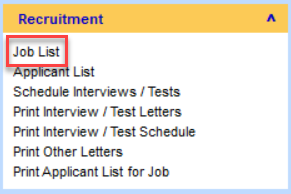 A new job is created on PAMS and uploaded to GetGot for configuration. Open PAMS and under the Recruitment Module click Job List.
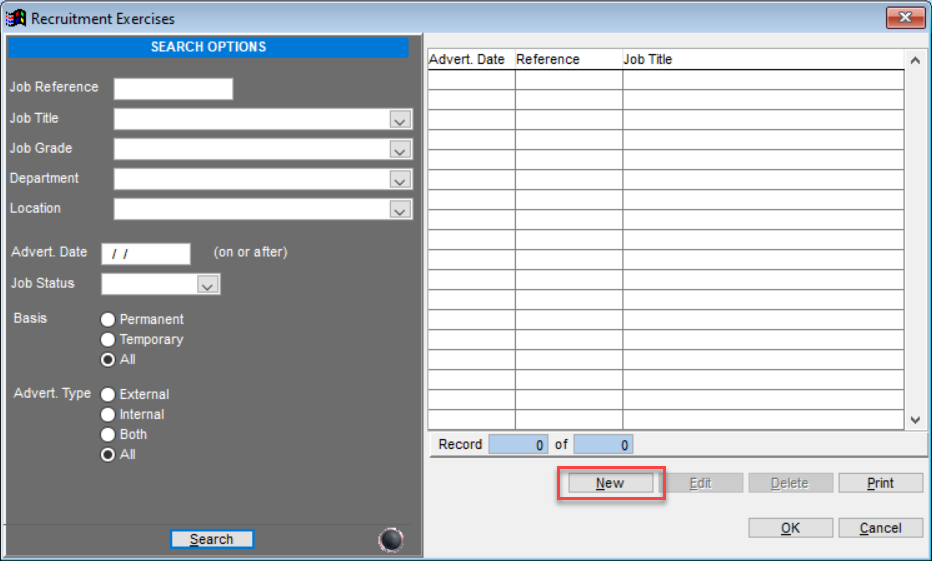
This will open the following screen. Click New to create a new job on PAMS.
This will open the Job / Recruitment Exercise Details page. Here, fill in the core details of the job and then click Upload.
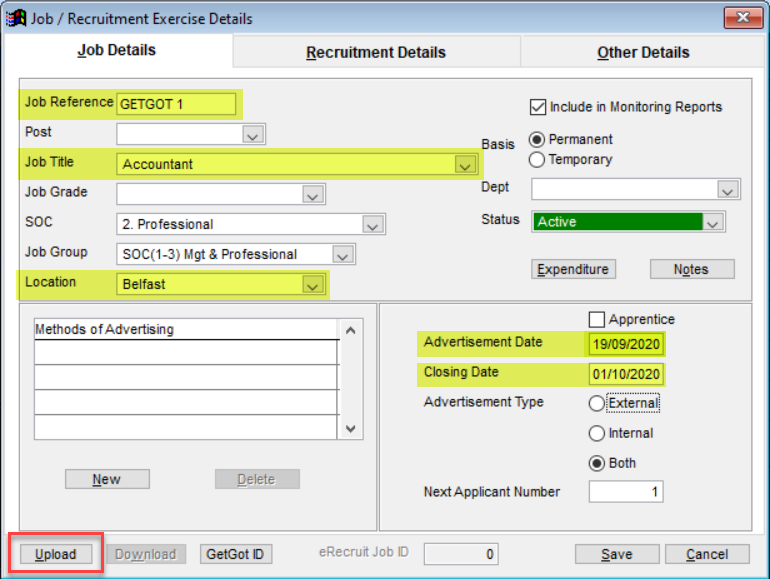
Note: The highlighted fields will upload and populate on GetGot.
After clicking upload, the GetGot Upload Form will open.
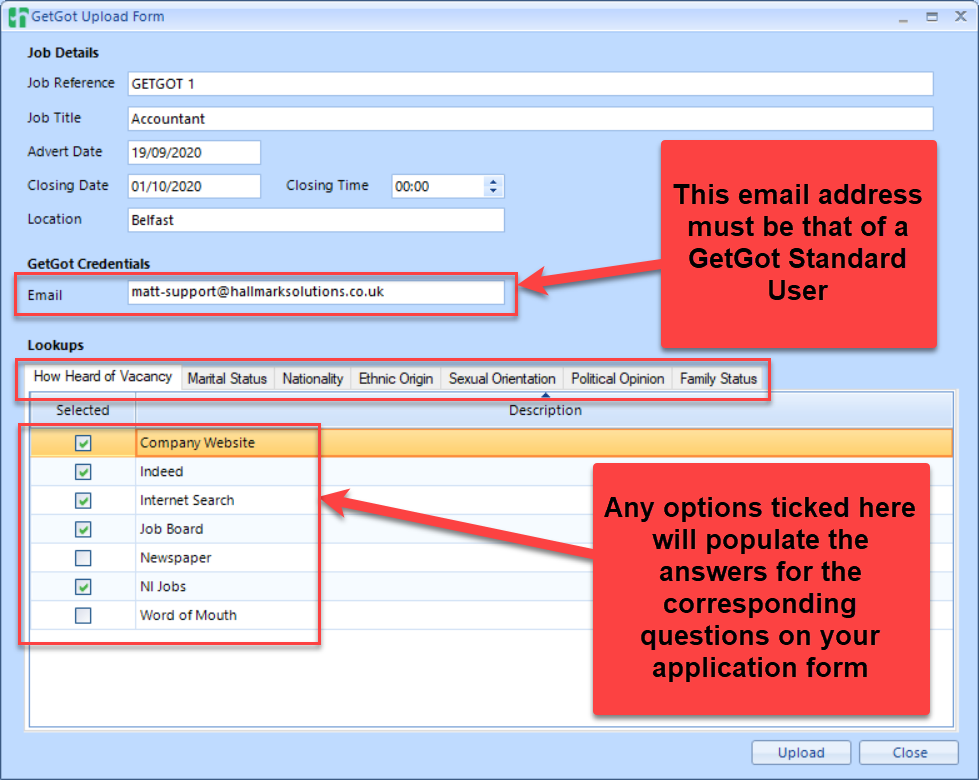
Click Upload to complete the upload of the job to GetGot.
Was this article helpful?
That’s Great!
Thank you for your feedback
Sorry! We couldn't be helpful
Thank you for your feedback
Feedback sent
We appreciate your effort and will try to fix the article