To view all recruitment exercises that are currently advertised on the GetGot jobs portal, please click here.
You can quick search for jobs from the GetGot homepage using the search filters. You can type a keyword, such as, job title or employer name and also choose a job type, such as, permanent or temporary. Or you can leave these blank and click GET to search all open jobs.
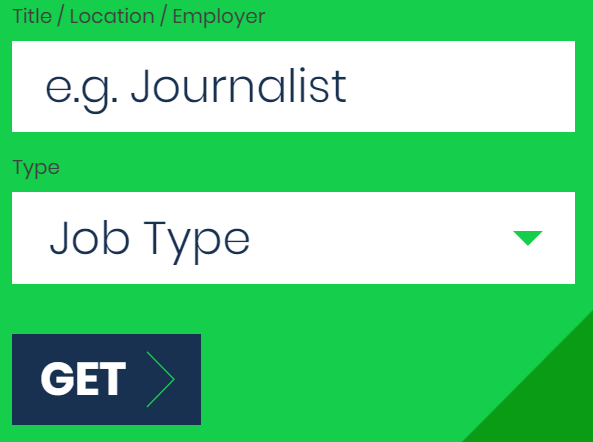
This will bring you to the job list page and will list all jobs that meet your search criteria.
You will be able to change your search criteria using the search fields at the top of the list. Enter your new search criteria and click GET or reset your criteria by clicking the Reset button.

You can also use filters to further refine your search. Click on the green downward arrows to expand Categories and Job Type. Click on the filter you wish to apply.
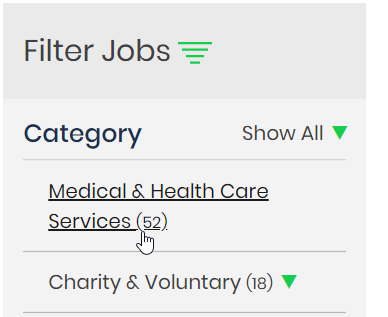
The jobs displayed will be filtered as per your selected parameters.
You can also search based upon Salary by filtering jobs by minimum and maximum salaries. Under the salary header in the filters, select your salary band by clicking on the dropdown box and selecting your salary values.
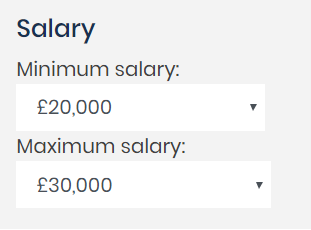
This filter will only show jobs that fall within this range.
Was this article helpful?
That’s Great!
Thank you for your feedback
Sorry! We couldn't be helpful
Thank you for your feedback
Feedback sent
We appreciate your effort and will try to fix the article