GetGot has introduced new functionality allowing you to track where your applicants are accessing jobs from. There are now stats to show how many clicks a job has got through external sites and from our featured jobs areas on GetGot.
These stats can be viewed on a job by job level or through your Organisation as a whole.
Individual Job Statistics
On an individual job click on the Stats button.

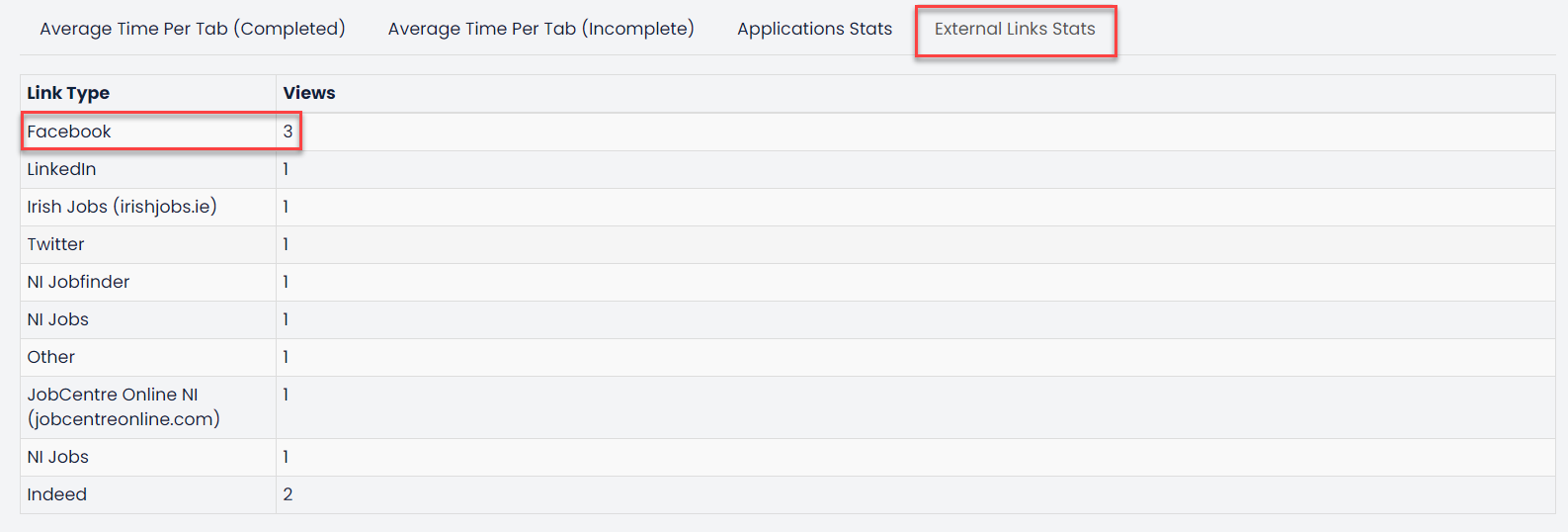
Any applicant who has accessed the job using the external site links outlined above will be counted here. For example, this job had 3 views which originated from Facebook.
Overview Recruitment Statistics
Overview Recruitment Statistics are visible on the dashboard of PAMS to Admin and Standard Users. This area provides an overview of recent recruitment statistics such as number of completed application forms and number of incomplete application forms. This area will also show views and  where applicants have accessed the job from for every job you have posted.
Once you log into your GetGot Admin Panel, on the Home Page click on the Jobs Stats tile.
This will open a search facility. Using this you can use the filters to search for specific jobs, or by leaving everything blank you can search for all jobs.
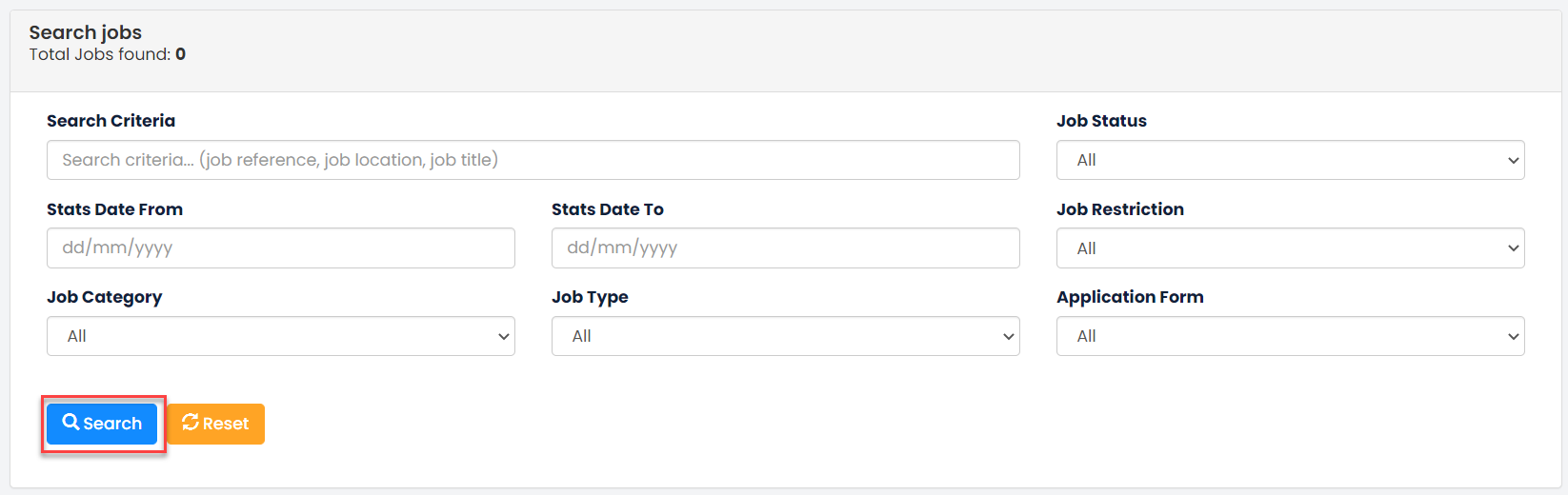
Click Search to bring through your desired jobs.
This will open a list of jobs and will also display general overview figures, such as, complete and incomplete applications, GetGot views and external views.

Click on the Details button to view a more detailed breakdown of these numbers.
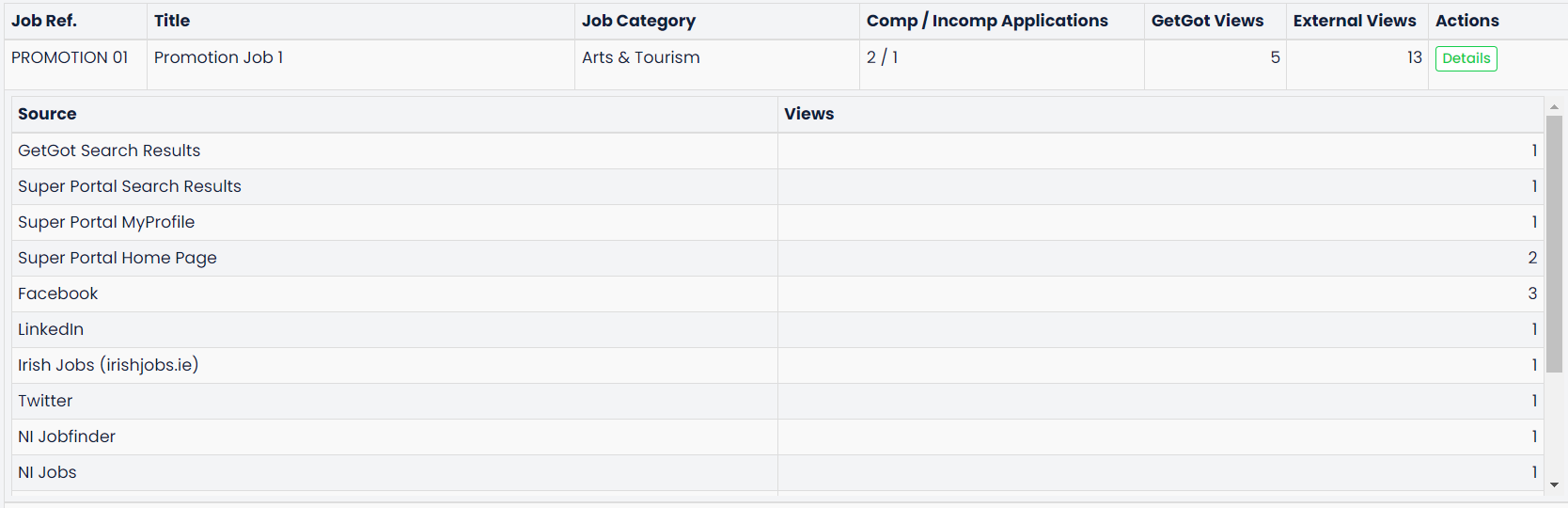
The details will show which specific link or external site a view has been obtained from.
Was this article helpful?
That’s Great!
Thank you for your feedback
Sorry! We couldn't be helpful
Thank you for your feedback
Feedback sent
We appreciate your effort and will try to fix the article