Only Admin Users can assign standard users or managers to multiple jobs in a single action. This can be useful when a user requires access to several vacancies without having to update each job individually.
Step 1: Access Users
From the top menu bar, select Organisation, then choose Users.
Step 2: Select the User
Locate the required standard user or manager in the Users list.
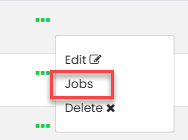
Select the three dots under the Actions column and click Jobs.
Step 3: Select the Required Jobs
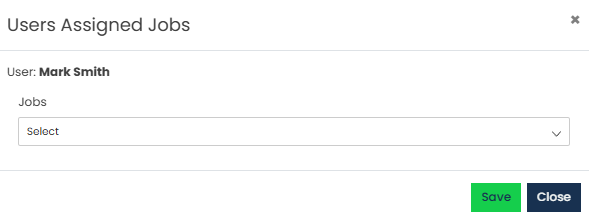
A list of available jobs will be displayed.
Select the vacancies you wish to assign the user to. Alternatively, click Select All to assign the user to every available job.
Step 4: Save the Changes
Once all required jobs have been selected, click Save.
The user will now have access to the selected vacancies.
Was this article helpful?
That’s Great!
Thank you for your feedback
Sorry! We couldn't be helpful
Thank you for your feedback
Feedback sent
We appreciate your effort and will try to fix the article