You will need to log in using an Admin account to manage Onboarding Task Templates. Similar to Competency Questions, Onboarding Task Templates are stored centrally and can be reused whenever onboarding tasks need to be issued to applicants.
Step 1: Access Onboarding Task Templates
From the top menu bar, select Organisation, then choose Onboarding Task Templates.
A list of existing onboarding task templates will be displayed.
Step 2: Create a New Onboarding Task Template
Select Create Task Template.
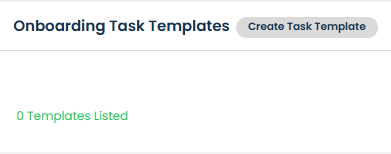
Enter a name for the template, then select Add Task to begin adding tasks to the template.

Step 3: Configure the Task Details
Enter the task details that should be completed by the applicant.
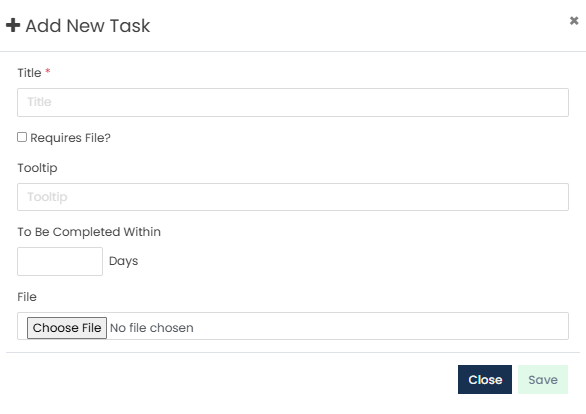
If required, upload a file that should be shared with the applicant when they receive the task.
You can also specify whether the task must be completed within a certain number of days.
Once the task has been configured, select Save.
Step 4: Reuse Existing Tasks
Once a task has been created, it becomes available for use in other onboarding task templates.
When creating or editing a template, select Add Task From Template to add an existing task without having to recreate it.
Step 5: Manage Existing Tasks
Tasks within a template can be managed using the available action icons.
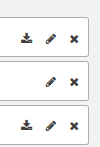
Select the Pencil icon to edit a task.
Select the X icon to delete a task from the template.
If a file has been uploaded to a task, select the Download icon to download and review the file.
Step 6: Save the Template
Once all required tasks have been added, select Save.
Step 7: Edit or Delete an Existing Onboarding Task Template
Existing onboarding task templates can be managed by selecting the three dots under the Actions column beside the relevant template.
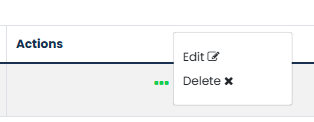
Select Edit to update the template details or manage the tasks within the template.
Select Delete to remove the onboarding task template.
Changes made to an onboarding task template will not automatically update onboarding tasks that have already been issued to applicants.
Was this article helpful?
That’s Great!
Thank you for your feedback
Sorry! We couldn't be helpful
Thank you for your feedback
Feedback sent
We appreciate your effort and will try to fix the article