Organisation Documents are documents that relate to a particular organisation but not a particular recruitment exercise. They will appear with all recruitment exercises posted from the Organisation’s GETGOT site. Multiple Organisation Documents can be attached to one organisation. These are commonly used for Privacy Policies, Recruitment and Equal Opportunities Policies, generic guidance, and other items of interest.

To add a new document click on the Add Document button.
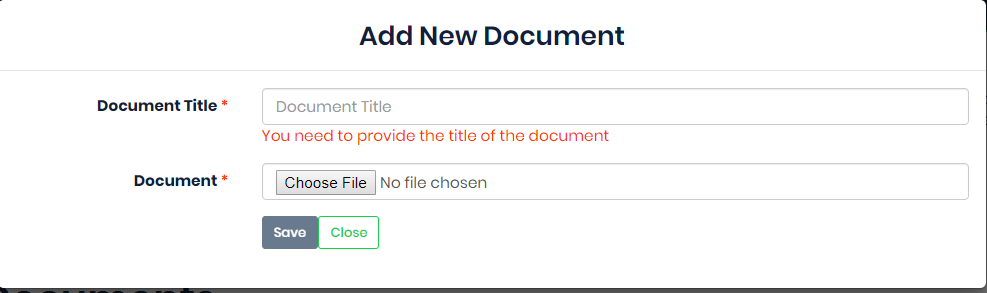
Enter the Document Title, this is the title that applicants will see when viewing a job’s details.

Then choose the document you wish to upload by clicking on the Choose File button.

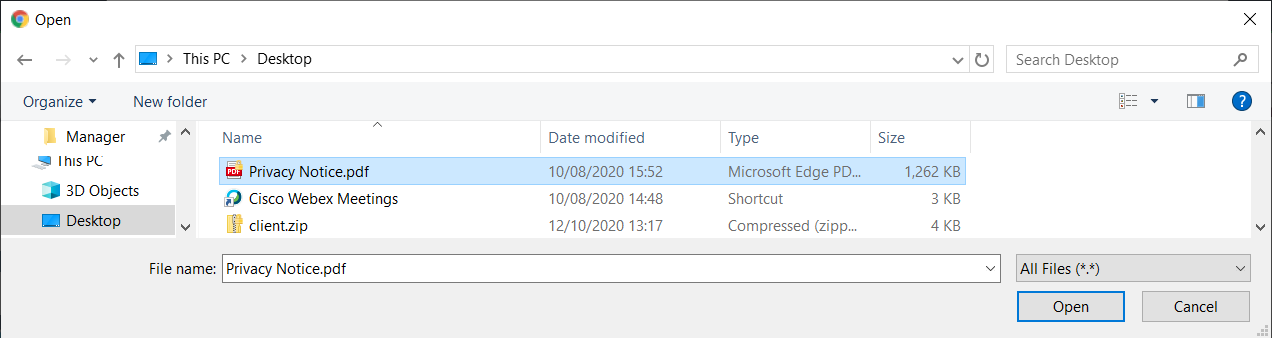
This will open a Windows dialog box. Find the file required and click Open.
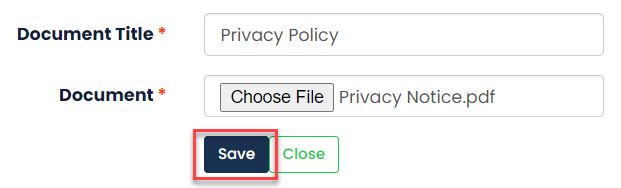
Once you have added these details click Save.
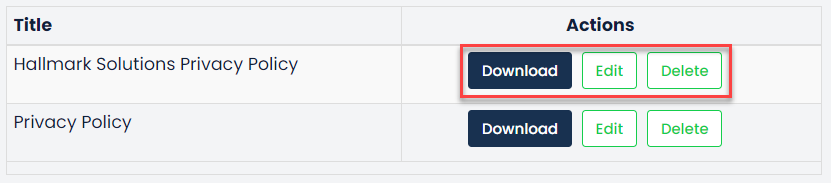
When you have added a document, these will appear in list of your organisation documents. From here a user can Download, Edit or Delete these documents using the buttons provided.
Was this article helpful?
That’s Great!
Thank you for your feedback
Sorry! We couldn't be helpful
Thank you for your feedback
Feedback sent
We appreciate your effort and will try to fix the article