 Job Categories are hard coded across all organisations. However, organisations can choose whether they wish the job category to be ‘Active in Organisation’. These can be accessed via the Job Categories tile on the dashboard.
Clicking on this Job Categories tile will open a list of all job categories used by GetGot. This list will also show you which of these are being used in your organisation by displaying ‘Yes’ or ‘No’ in the Active? Column.
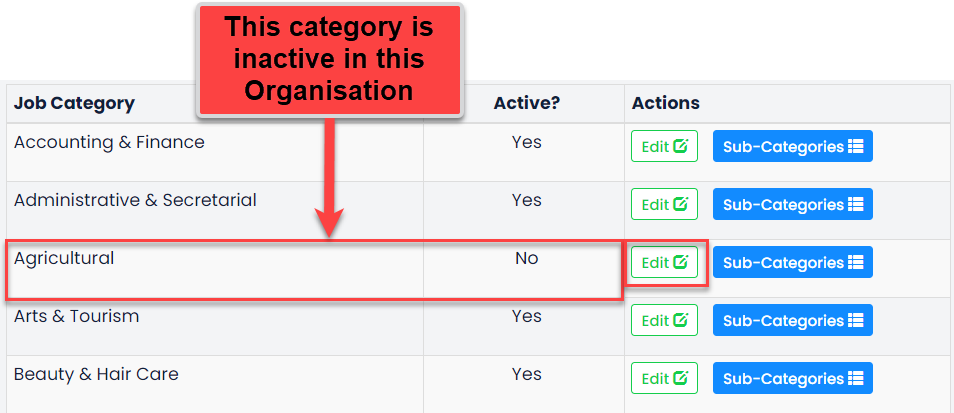
To change this active status, click on the Edit button.
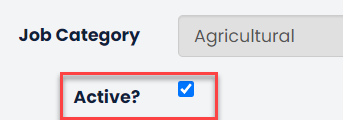
Select the Active? tick box and then click Save. Once this has been applied, this category will be available to your organisation when setting up jobs on GetGot.
Was this article helpful?
That’s Great!
Thank you for your feedback
Sorry! We couldn't be helpful
Thank you for your feedback
Feedback sent
We appreciate your effort and will try to fix the article