Text Box – A Text Box question requires applicants to enter a small amount of text. This type of question is to be utilised for questions that require smaller text responses, normally 50 words or less. After clicking Add Question select Text Box.
A Max Length can be added to this. This is a character limit rather than a word limit.

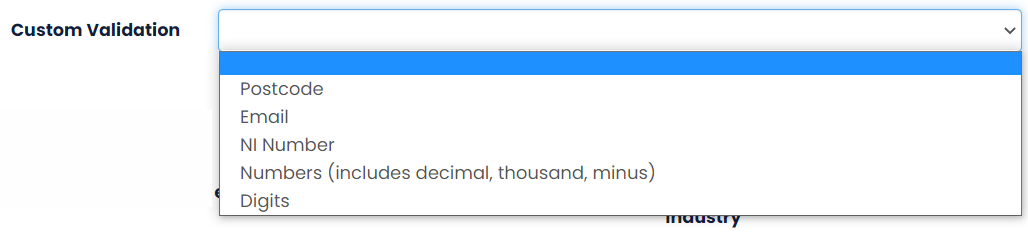
You can also set a Custom Validation for this question type if an applicant should only be able answer in a certain format, such as, numbers, email etc.
Finally, once all of that is setup, the system will provide a preview of your question to show how the applicant will see this.

NOTE: It is important to distinguish the difference between a Text Area and a Text Box. Text Areas should be used for long answers, e.g. Please demonstrate how you have shown leadership in a previous role. Whereas a Text Box is a short answer e.g. What was your last job title? If the wrong question type has been selected and applicants have submitted, you may have issues. Please contact Hallmark Solutions if you require assistance.
Was this article helpful?
That’s Great!
Thank you for your feedback
Sorry! We couldn't be helpful
Thank you for your feedback
Feedback sent
We appreciate your effort and will try to fix the article