Experience – An Experience question requires applicants to detail their relevant experience. The style of question requires applicants to enter dates that accumulate to a total number of months experience. After clicking Add Question select Experience.
To make up the required minimum experience, an applicant may need to enter multiple job roles to add up to this required experience. The Experience question allows you to setup the question for applicants to enter multiple answers. This is setup through the Number of total answers setting, and a total of 10 answers can be configured.
So, if 5 is entered here, the applicant can enter 5 separate experience answers.

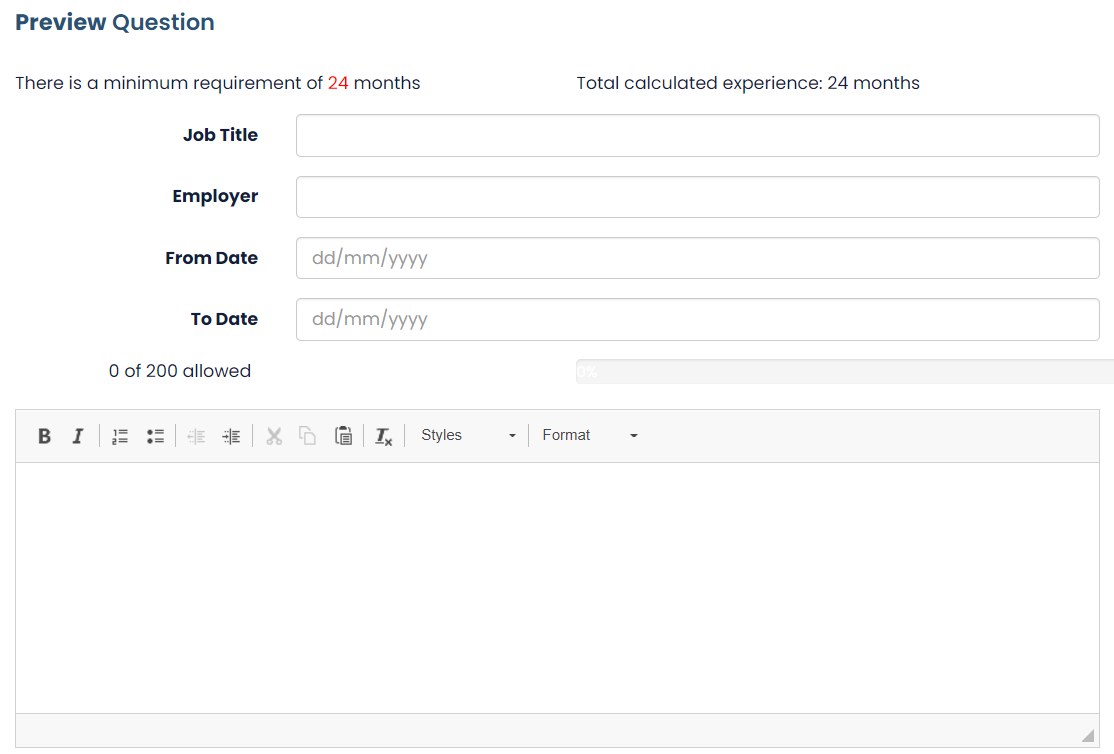
You can also enter a minimum requirement for the experience. This value is in Months. So, if you have a 2-year minimum experience, enter 24 into this setting.


 As an applicant builds up their experience, the system will calculate the total experience by adding up each individual experience answer that has been entered. You can also choose whether this total calculation is shown to the applicant. You can also set a word limit per answer given. If you leave this blank it will use the default value of 300 words.

Finally, once all of that is setup, the system will provide a preview of your question to show how the applicant will see this.
Was this article helpful?
That’s Great!
Thank you for your feedback
Sorry! We couldn't be helpful
Thank you for your feedback
Feedback sent
We appreciate your effort and will try to fix the article