Depending on how you registered (PIN or Profile) for a job, an application can be resumed in two ways.
PIN and Profile Users:
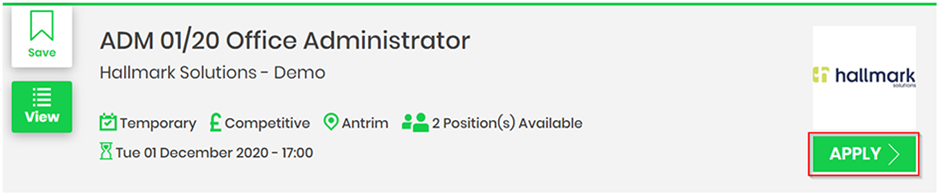
Search for the job listing you previously applied for and click the Apply button.
Enter the email address you originally registered for the job with. The system will recognise that your email address has already registered with the job listing and whether you have registered using the Profile or PIN method.
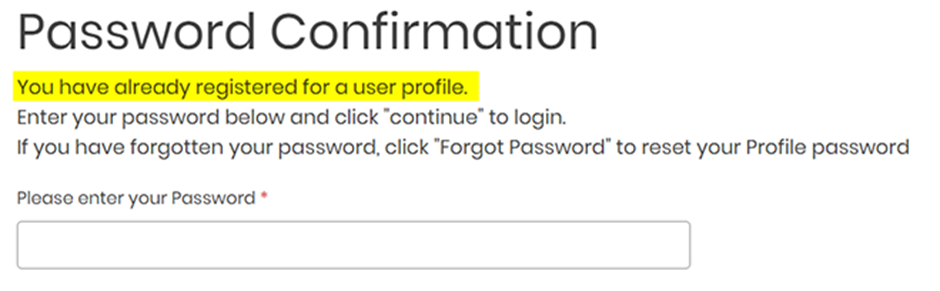
If you are a Profile user enter your password to resume.
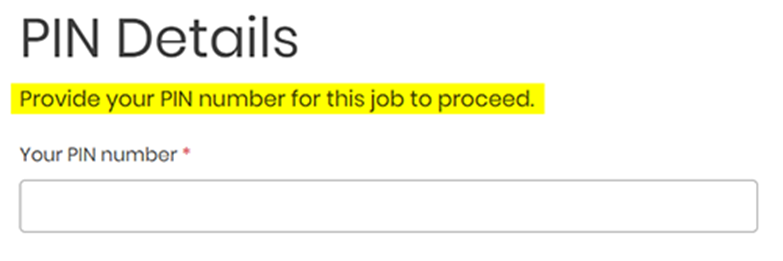
If you are a PIN user, enter the PIN you received on registration.
Profile Users Only:
By logging into your Profile and viewing your Draft Applications.
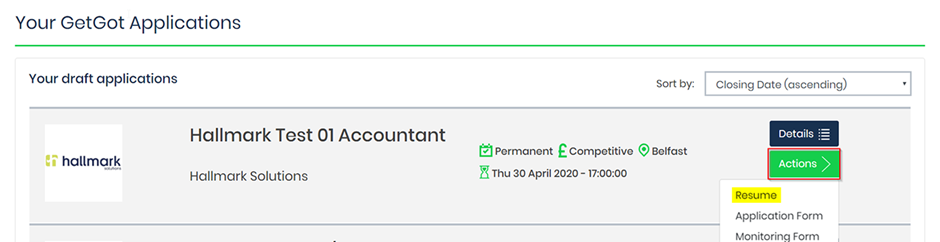
Log into your Profile and go to the Your GetGot Applications section. This will display all the jobs that you have started an application for but have yet to complete.
Find the job and click on the Actions button followed by Resume.
Was this article helpful?
That’s Great!
Thank you for your feedback
Sorry! We couldn't be helpful
Thank you for your feedback
Feedback sent
We appreciate your effort and will try to fix the article