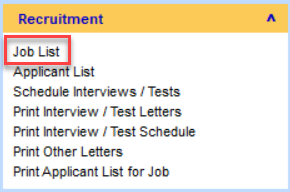
Applicants can be downloaded to PAMS via the Job List in the recruitment module within PAMS. On PAMS click on Job List.
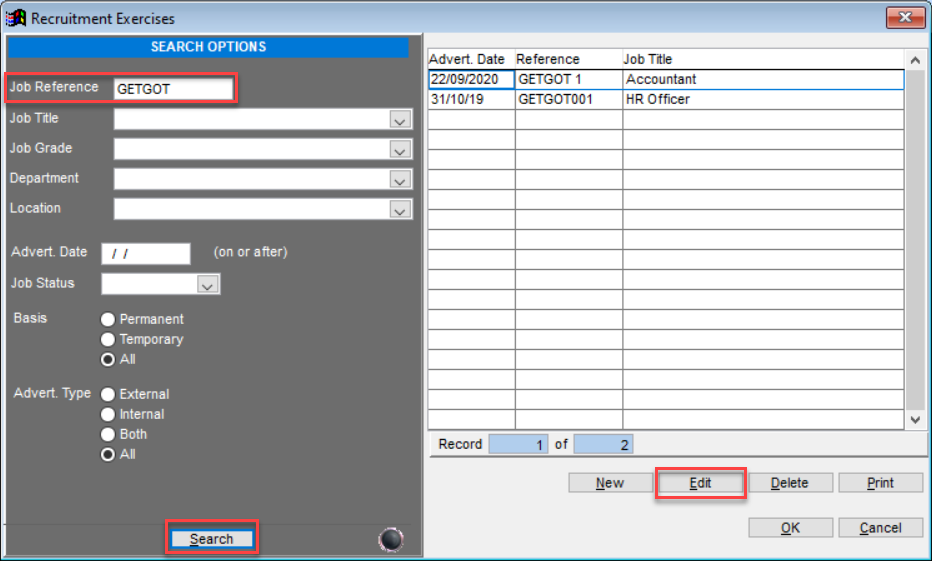
This will open the job search page within PAMS. To find the job you are looking for use the search filters provided and click Search. Once you find the required job click Edit.
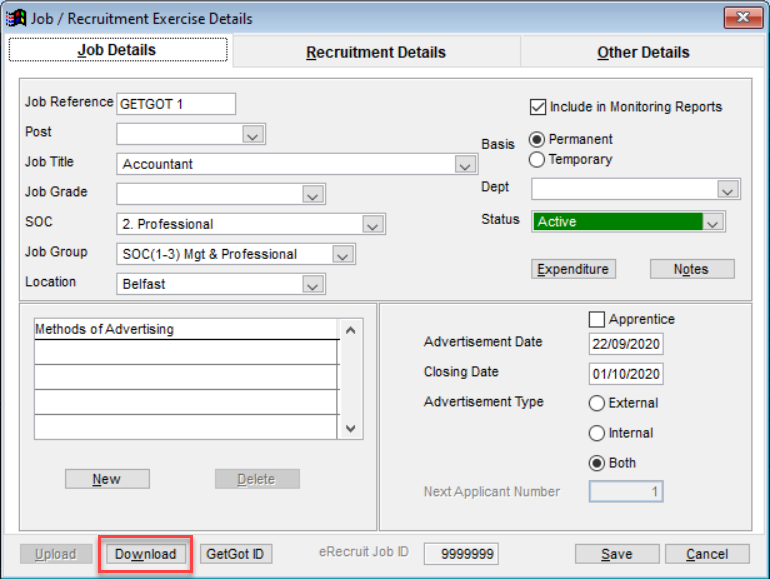
This will open the Job Details page. From here click the Download button.
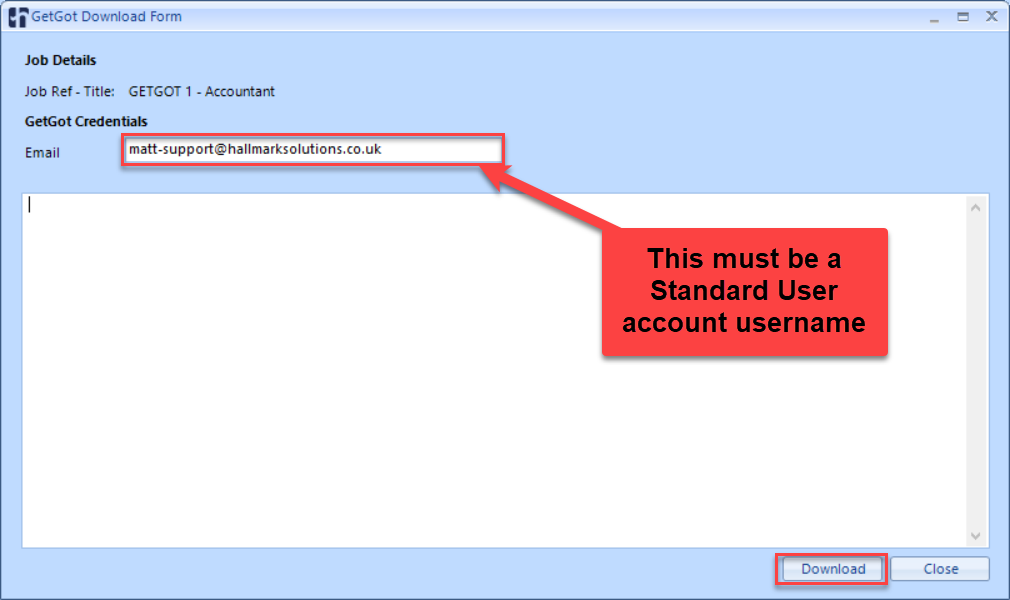
This will open the GetGot Download Form. You will need to enter your standard user account username in the Email field and then click Download.
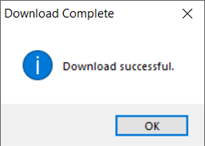
After clicking download, you should receive a confirmation message.
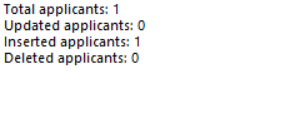
And you will also see a summary of the applicants that have been downloaded.
Was this article helpful?
That’s Great!
Thank you for your feedback
Sorry! We couldn't be helpful
Thank you for your feedback
Feedback sent
We appreciate your effort and will try to fix the article