When applying for jobs, new users to GetGot will have the choice to register for the job using the Profile or the PIN method.
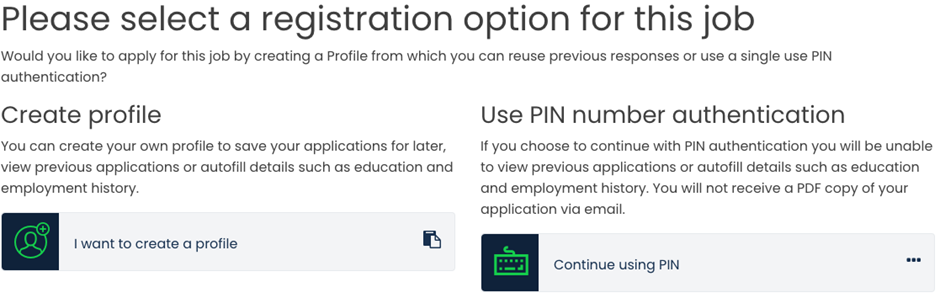
All applicants that register for a job may save their partially completed applications to return to at a later date.
Profile:
GETGOT allows applicants to create a Profile which has been designed to speed up and enhance the application process.
For those applicants who choose to apply via the Profile function, they will enjoy the ability to view previously submitted applications and responses. They will also be able to create job notification alerts, notifying them when a job has been advertised within their preferential categories.
Using the Profile an applicant can add pre-populated responses for certain questions such as, education, employment history and referee details. These answers can then be used on individual application forms where the autofill feature has been enabled.
Autofill:
When applying for a job using a Profile, your details will automatically populate certain fields, such as, surname.
If a job has also been configured to allow the autofill of pre-saved Profile answers for education, employment history and referee details you will see an autofill button as below.

Click on this to populate the section with answers saved in your Profile.
PIN:
A PIN user is a one off application for an individual job. The applicant will not be able to re-use these answers for future applications.
They will also be unable to view previously submitted applications or set up email alerts for future jobs they may be interested in.
Was this article helpful?
That’s Great!
Thank you for your feedback
Sorry! We couldn't be helpful
Thank you for your feedback
Feedback sent
We appreciate your effort and will try to fix the article